
MCP 与工具调用
MCP Registry 指南:查找、验证与发布服务器
通过官方注册表发现、验证和发布MCP服务器,对比社区目录,并检查元数据、来源与维护状态。
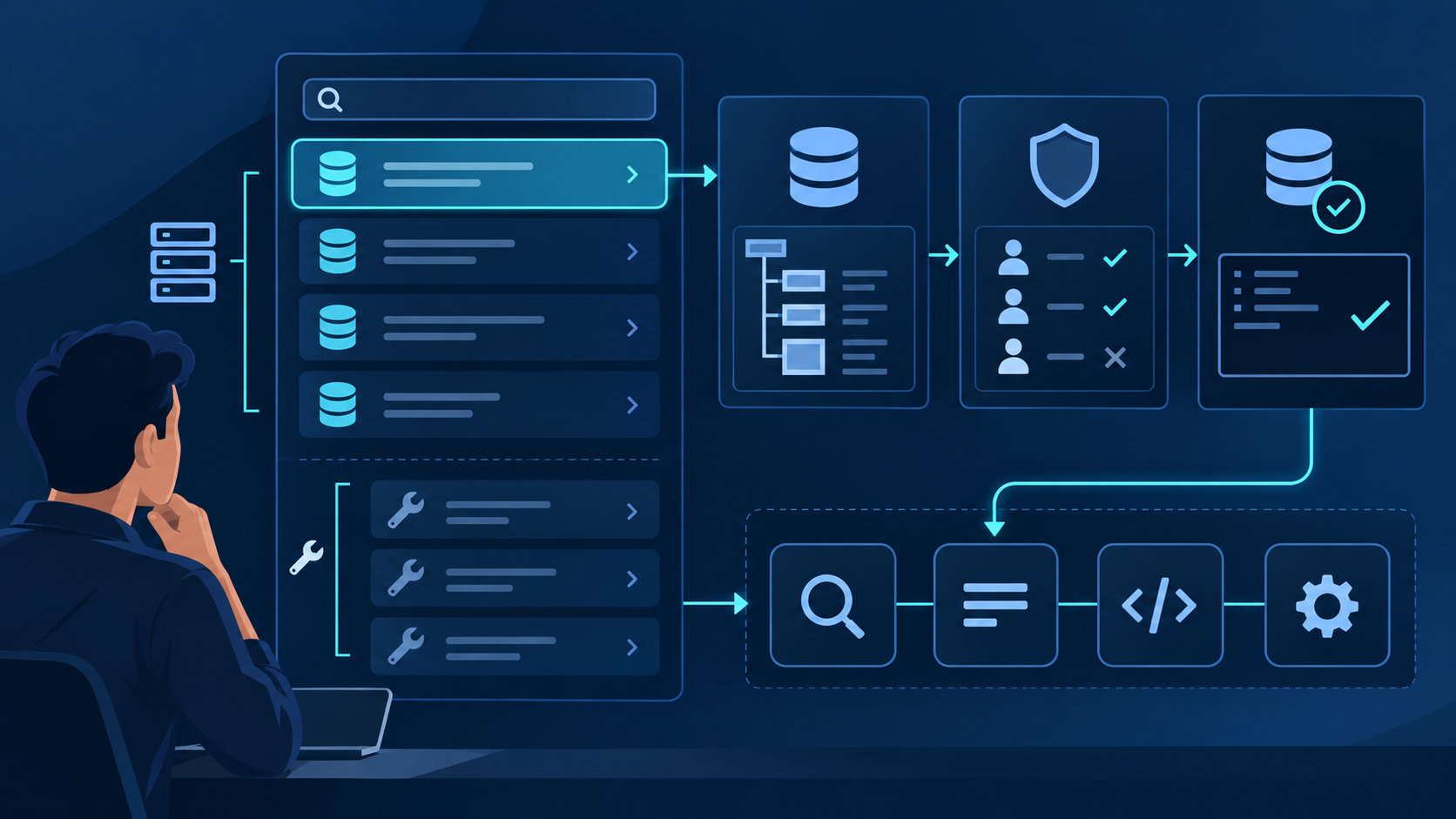
MCP Registry 指南:
查找、验证与发布服务器
查找、验证与发布服务器
核心结论
- 定义: MCP Registry 是面向公开 MCP 服务器的官方集中式元数据仓库;它不托管底层软件包或代码。
- 用途: 通过 REST API 查询标准化安装元数据,或使用 server.json 与 mcp-publisher CLI 发布软件包或远程端点。
- 可信度: Registry 收录既不证明安全,也不代表达到生产质量。使用前应验证发布者所有权、软件包来源、权限、传输方式和版本。
什么是 MCP Registry?
MCP Registry 是面向公开 Model Context Protocol 服务器的官方集中式元数据仓库。它统一名称、版本、软件包、远程端点、安装说明和配置数据,并通过 REST API 提供这些元数据。
MCP Registry 有两个主要目的:
第一,它支持 发布 ——服务器作者发布指向公开软件包或远程端点的版本化元数据。第二,它支持 发现 ——客户端和下游聚合器通过统一 API 查询,无需抓取代码仓库。Registry 专注命名空间认证和元数据托管,而不是代码托管或安全认证。
Registry 当前状态(核对于 2026 年 8 月 3 日)。
The official MCP Registry remains a preview service and exposes
a REST API plus standardized
server.json metadata.
Preview status matters in production: breaking changes or data
resets can occur, and a listing does not by itself prove
security, uptime, licensing, or tool quality. Mirror the exact
server version and verify its package, transport, publisher
identity, permissions, and protocol-version support before
allowing an agent to use it.
Registry 当前状态(核对于 2026 年 8 月 3 日)。
官方 MCP Registry 仍处于 Preview,提供 REST API 和标准化
server.json 元数据。生产环境必须正视 Preview 状态:
服务可能出现破坏性变更或数据重置,而且“已收录”本身并不证明安全性、
可用性、授权或工具质量。允许 Agent 使用前,应固定服务器版本,并核验
软件包、传输方式、发布者身份、权限与协议版本支持。
Registry 解决的是分发问题:客户端需要一种可预测的方式定位 MCP 服务器、判断它是软件包还是远程端点,并了解所需配置。它不能取代 MCP 协议握手、服务器运行时工具列表或你自己的安全审查。
不要把 Registry 当成 MCP 代码的 npm。npm、PyPI、NuGet、Docker Hub 等软件包仓库托管制品;MCP Registry 托管指向这些制品的元数据。远程服务器也可以在同一元数据契约中发布公开的 Streamable HTTP 端点。
官方 Registry 主要作为客户端和下游聚合器的上游来源。下游目录可以增加搜索、排名、使用信号、组织策略或安全扫描。QVeris 可以提供面向任务的能力发现,但仍需检查所选服务器的当前契约和权限。
MCP 服务器目录如何工作
MCP Registry 通过三类契约运行:版本化 server.json 元数据、命名空间与软件包所有权检查,以及供客户端和下游注册表使用的 REST API。发布元数据并不等于批准服务器用于生产环境。
Registry 的角色与生态边界
官方 Registry 是 Model Context Protocol 生态中的开放集中式元数据服务,由多家主要生态贡献者支持,官方说明位于 MCP Registry 官方网站。它的职责有意保持狭窄:认证命名空间、托管标准化元数据并提供 API。制品托管、安装安全与生产批准仍是独立问题。
元数据
Registry 保存服务器名称、版本、软件包或远程位置、传输方式和配置要求。
制品
npm、PyPI、NuGet、OCI 仓库和发布平台保存元数据引用的公开软件包或二进制制品。
发现
客户端和下游聚合器查询 Registry API,并可用搜索、排名、策略或扫描结果丰富数据。
私有环境
仅限内部使用的服务器不属于官方公共 Registry;组织应为其运行私有注册表。
server.json结构
每个发布版本都使用 server.json 清单标识服务器、版本、软件包或远程端点、传输方式和必要配置。它是分发契约;运行时工具、资源和提示词需要在连接 MCP 服务器后发现。
// server.json - package-backed MCP server
{
  "$schema": "https://static.modelcontextprotocol.io/schemas/2025-12-11/server.schema.json",
  "name": "io.github.example/market-data",
  "title": "Market Data",
  "description": "Historical and real-time market data",
  "repository": {
    "url": "https://github.com/example/mcp-market-data",
    "source": "github"
  },
  "version": "1.0.0",
  "packages": [{
    "registryType": "npm",
    "identifier": "@example/mcp-market-data",
    "version": "1.0.0",
    "transport": {
      "type": "stdio"
    },
    "environmentVariables": [{
      "name": "MARKET_DATA_API_KEY",
      "description": "Provider API key",
      "isRequired": true,
      "isSecret": true
    }]
  }],
  "_meta": { "category": "finance" }
}
该清单回答部署问题: 位置 软件包或远程服务器位于哪里, 方式 客户端如何启动或连接,以及 配置 需要哪些环境变量或 URL 变量。工具输入 Schema 不属于发布清单;客户端会从运行中的 MCP 服务器发现它们。
验证、所有权与内容治理
发布流程会验证清单,并检查发布者是否控制声明的命名空间和底层软件包元数据。这并不是人工安全审计。官方治理政策说明,Registry 在更深入的审核方面主要依赖上游软件包仓库和下游注册表。
官方 Registry 可能移除恶意软件、垃圾内容、违法内容或无法运行的服务器,但通常不会仅因质量低、存在缺陷、功能重复或已知漏洞而移除。使用者仍需检查来源、固定版本、审查密钥与权限,并隔离不可信的本地服务器。
如何使用 MCP Registry:发现与发布
Registry 支持两类不同工作流:使用者查询版本化安装元数据,发布者登记公开软件包或远程端点。应把发现、安装、运行时检查和可信评估作为独立步骤。
发现 MCP 服务器
根据你需要源元数据、增强发现还是生产批准,从以下三条路径中选择:
路径一:官方 Registry API
访问 registry.modelcontextprotocol.io 搜索官方来源或调用其 REST API。结果包含名称、版本、软件包或远程位置、代码仓库元数据、传输方式和必要配置,但不能代替实时 MCP 连接来发现当前工具、资源和提示词。
路径 2:社区目录
类似社区目录如 Smithery.ai 和 Glama.ai 可以摄取官方元数据,并增加筛选、排名、评论、策略、安全信号或其他来源。应把每个目录的增强内容视为独立声明,验证新鲜度、来源和治理规则,而不是认为覆盖更广就更安全。
路径三:面向任务的能力发现
当 Agent 从任务而不是服务器名称出发时,可使用 QVeris 等能力发现层识别候选项。调用前检查所选能力的当前契约、提供商、成本信号、密钥和权限。官方 Registry 仍是 MCP 发布元数据的来源:
# Search the official Registry API
curl "https://registry.modelcontextprotocol.io/v0.1/servers?search=market%20data"

# Inspect one server version before installation
curl "https://registry.modelcontextprotocol.io/v0.1/servers/io.github.example%2Fmarket-data/versions/1.0.0"

# Publisher workflow from the server project
mcp-publisher init
# Authenticate the matching namespace
mcp-publisher login github
# Publish the current server.json version
mcp-publisher publish

# Verify the published metadata through the API
curl "https://registry.modelcontextprotocol.io/v0.1/servers?search=io.github.example%2Fmarket-data"
# Expected result includes the exact server name
"name": "io.github.example/market-data"
{ ... }
QVeris 与官方 Registry 解决工作流中的不同层。QVeris 可以帮助 Agent 按任务发现能力;Registry 描述已发布 MCP 服务器版本的位置和配置方式。两者都不能取代运行时响应验证和最小权限控制。
如何发布你的 MCP 服务器:分步指南
发布需要公开制品或远程端点、有效的 server.json、所有权证据和已认证命名空间。官方快速入门采用以下四步流程:
1
发布软件包或远程端点
构建并发布底层 npm、PyPI、NuGet、OCI 或 MCPB 制品,或者公开可访问的远程 MCP 端点。官方 Registry 保存元数据,而不是制品本身。
2
安装 mcp-publisher 并创建 server.json
安装官方 CLI,运行 mcp-publisher init,并检查生成的名称、版本、软件包标识、传输方式和环境变量。软件包所有权元数据必须与服务器名称一致。
3
认证命名空间
使用 GitHub 或受支持的域名方式运行 mcp-publisher login。认证身份必须控制该命名空间;GitHub 方式的名称应以 io.github.your-username/ 开头。
4
发布、验证与版本更新
运行 mcp-publisher publish,并查询 API 确认准确名称和版本。已发布的版本元数据不可变;配置或软件包元数据变化时,应提交新的唯一版本。
官方快速入门没有所谓 1–3 天人工审批队列。认证与验证通过后即可发布;否则会返回软件包验证失败、凭据过期或命名空间权限不匹配等明确错误。
MCP Registry 与子注册表:何时使用哪种
官方 Registry 是上游元数据服务。下游注册表和目录消费该来源,并可增加搜索、治理、安全信号、组织策略或任务级路由。应根据当前决策选择对应层。
使用官方注册表的情况
你需要某个准确服务器版本的源元数据
你正在发布公开软件包或远程端点
你正在构建客户端、聚合器或 Registry API 集成
你需要命名空间和软件包所有权验证
你需要标准化安装与配置元数据
使用子注册表的情况
你需要语义或分类发现
你需要排名、评论、扫描或使用信号
你必须执行组织专属白名单和策略
你正在为内部服务器运行私有注册表
你需要面向 Agent 的任务级能力路由
架构区别
官方MCP注册表是一个 元数据仓库 ——它保存版本化 server.json 记录,并提供名称、软件包或远程位置、传输方式、代码仓库信息和配置要求。实际制品仍由软件包仓库托管。
像QVeris这样的子注册表是 能力路由层 ——它们可以摄取源元数据、加入自己的证据和策略,并向 Agent 提供任务级接口。其排名、评论、测试和覆盖范围属于下游声明,应独立评估。
可以把它理解为软件供应链的不同层:软件包仓库存储制品,官方 MCP Registry 发布标准化指针和配置契约,下游目录帮助判断服务器是否相关或可接受。
你应该使用哪个?
发布、查询准确源元数据或实现 Registry API 时使用官方 Registry;主要问题是相关性、安全增强、企业策略或动态任务匹配时使用下游层。
许多生产系统同时使用两层:通过官方 API 获取源元数据,由一个或多个下游服务增强,并在安装或执行前经过内部批准。QVeris 可以支持能力发现,但应用仍需负责可信度和运行时控制。
顶级 MCP 服务器目录对比
应按职责比较生态层,而不是比较容易变化的服务器数量。索引更大并不自动意味着更安全、更新或更适合特定 Agent。
| 特性 | 官方注册表 | 软件包仓库 | 下游注册表 | QVeris |
|---|---|---|---|---|
| 主要职责 | 标准化 MCP 元数据 | 制品托管与分发 | 发现、增强与策略 | 面向任务的能力发现 |
| 保存对象 | server.json 版本 | 软件包、镜像或二进制制品 | 已索引和增强的服务器记录 | 能力与执行契约 |
| 可信信号 | 命名空间与软件包所有权 | 软件包来源与完整性控制 | 提供商特定的评论、扫描或策略 | 检查提供商、Schema、成本与权限 |
| 发现方式 | REST API 与准确元数据搜索 | 软件包名称与生态搜索 | 筛选、排名与数据增强 | 自然语言能力搜索 |
| 代理集成 | 客户端或聚合器实现 API | 安装器解析制品 | 目录专属 API 或 SDK | 发现、检查,再调用 |
| 安全责任 | 不等于生产安全认证 | 制品控制因仓库而异 | 取决于下游策略 | 应用必须执行最小权限 |
| 发布路径 | mcp-publisher CLI | 软件包仓库原生发布工具 | 摄取或单独接收元数据 | 使用当前可用能力提供商 |
这些层相互补充:先发布制品,再发布 MCP 元数据,随后增强或批准记录,最后才允许 Agent 在明确权限与可观测性控制下安装或调用服务器。
我们如何评估这些目录
我们从六个生产维度评估 Registry 工作流。 来源权威性:记录来自官方 API、上游软件包仓库还是其他索引? 版本完整性:能否固定并复现准确的服务器和制品版本? 所有权证据:命名空间是否与已认证发布者及软件包元数据一致? 发现质量:搜索结果是否可解释、保持新鲜并可追溯到源元数据? 运行时适配:实际服务器是否提供预期工具、传输方式、鉴权和错误行为? 安全控制:应用能否隔离执行、限制密钥和权限并撤销访问?
本对比依据 2026 年 8 月 3 日核对的官方 Registry 文档。该服务仍处于 Preview,因此 API 行为、Schema 版本、支持的软件包类型和治理规则都可能变化。部署前请验证当前官方契约。
生产环境评估:三个关键问题
投入生产前,需要回答三个问题。第一: 能否验证并复现这个准确版本? 将 server.json 追溯到软件包或远程端点、代码仓库、发布者命名空间和不可变版本。第二: 服务器将获得哪些权限? 审查每个密钥、文件系统路径、网络目标、OAuth Scope 和用户确认边界。第三: 服务器失败或变化时会怎样? 开放 Agent 访问前,测试启动、鉴权、超时、限流、异常响应、并发、回滚和撤销。
Registry 收录只是评估的起点,不是最终批准。内部白名单应记录获批版本、证据、权限、负责人、审查日期和回滚路径。若使用 QVeris 发现能力,应在执行审计记录中保留所选提供商和检查结果。
通过QVeris发现MCP能力
使用 QVeris 按任务发现候选能力,检查当前提供商契约与成本信号,并仅在通过安全和运行检查后调用。
在 QVeris 中体验 Registry 发现 → 浏览 MCP 工具 → 阅读 MCP Server 文档 →常见问题:MCP注册表
什么是MCP注册表?
MCP Registry 是面向公开 MCP 服务器的官方集中式元数据仓库,保存标准化的软件包或远程端点、传输、版本、安装与配置元数据,并提供 REST API。
如何发布MCP服务器?
发布底层公开软件包或远程端点,使用 mcp-publisher init 创建 server.json,认证匹配的命名空间,运行 mcp-publisher publish,并通过 Registry API 验证新版本。
MCP注册表与MCP服务器目录有何区别?
官方 Registry 是源元数据服务和 API。下游目录可以摄取这些数据,并为不同受众增加排名、评论、安全扫描、策略或语义发现。
官方MCP注册表与社区目录相比如何?
官方 Registry 统一名称、版本、软件包、远程端点和安装元数据,但不会认证每个收录服务器都安全或适合生产;下游服务可以增加更深入的治理和发现功能。
何时应使用子注册表而非官方MCP注册表?
使用官方 Registry 发布元数据、查询源 API 或构建聚合器;需要语义搜索、组织策略、安全信号或任务级能力路由时,使用下游注册表。