QVeris
运行任务
Developer automationAPI lookupDocs researchIssue triageDiscover / Inspect / CallUnified capability layer

AI Agents for Developer Automation

Use QVeris to help AI agents discover, inspect, and call verified developer capabilities for API lookup, documentation search, issue triage, error research, and workflow automation.

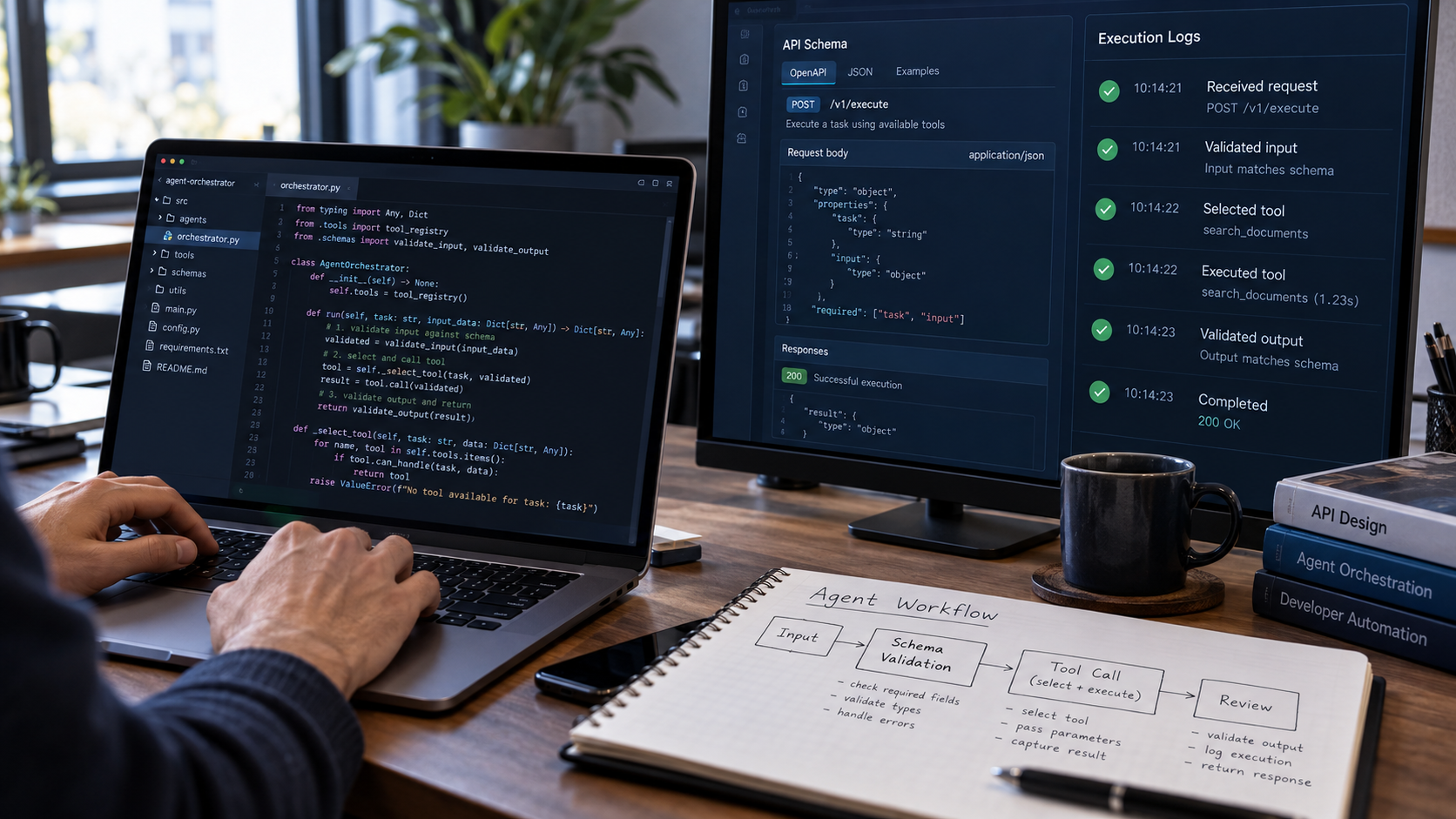
Developer automation agent workflow from tool discovery to a verified change
automation_terminal
~ $investigate integration error
discovering developer capabilities...
~ $inspect schemas & cost signals
schema_ok | cost_visible | provider: ready
~ $call selected tools
status: ready_for_review
result: issue_triage_summary
next_steps: ["verify configuration", "inspect API schema", "create reproducible test"]
# review required before applying changes

Developer Automation Agents Need Real Tool Access

AI coding agents can generate code, explain errors, and reason over local context. But useful developer automation workflows often require external capabilities: API reference lookup, documentation search, package research, monitoring lookup, issue context, web research, file parsing, status checks, notification routing, and structured handoff notes.

QVeris gives agents one capability layer for discovering, inspecting, and calling relevant developer tools without hardcoding every documentation source, API endpoint, monitoring system, or notification provider.

From Developer Task to Automation Runbook

How QVeris connects a developer task to an action plan through discoverable, inspectable capabilities.

~ capability_pipeline
Developer Taskinput: task definition
QVeris Discoverfind relevant capabilities
API lookupinspect API references
Documentation searchfind relevant docs
Error researchresearch error context
Package / dependency researchcheck compatibility
Monitoring / status lookupcheck operational state
Structured summarygenerate action plan
Notification / handoffroute to next step
Developer Action Planoutput: structured checklist
✓ automation_checklist
Define the developer task and expected outcome
Agent discovers relevant tool capabilities via QVeris
Agent inspects schemas and cost signals before calling
Agent calls selected capabilities and receives structured output
Agent returns debugging plan, triage summary, or action checklist
Developer reviews, tests, and validates before applying changes

Why Developer Automation Agents Are Hard to Build

Four core challenges that make developer automation agent development slow and fragile.

🔧

Developer Context Is Scattered

Code, API docs, tickets, logs, package information, monitoring systems, public references, and internal notes often live in different places — each requiring separate access paths.

🔍

Agents Need Schemas Before Taking Action

Before calling a developer capability, agents need to understand required inputs, response format, provider behavior, cost signals, and output limitations — not guess at runtime.

🔗

Hardcoded Tools Slow Iteration

Manually wiring every documentation source, API lookup, status check, or notification provider creates brittle wrappers and compounding maintenance overhead.

Automation Still Needs Review

Agent-generated debugging plans, issue triage notes, and implementation suggestions should be reviewed, tested, and validated by developers before being applied.

Permission architecture

Classify Automation by Side Effect Before Choosing a Tool

“Developer automation” covers everything from reading documentation to deploying production code. Those actions must not share one permission envelope. The agent should know the exact repository, revision, environment, credential scope, and allowed side effects before it acts.

01

Read-only

Search documentation, inspect issue metadata, read repository files, query logs, and summarize CI output without changing state.

Default: narrow identity, explicit target, no secrets in prompts or logs.

02

Reversible workspace

Create a branch, edit files inside an isolated worktree, run tests, format code, or draft a pull request. Every change remains visible as a diff and can be discarded.

Gate: validated path, clean ownership boundaries, command allowlist, time and resource limits.

03

External or high impact

Push code, merge, publish a package, change cloud resources, rotate credentials, modify production data, deploy, or notify people.

Gate: fresh human approval bound to the exact artifact, destination, and current diff.

权限架构

先按副作用划分自动化,再选择工具

“开发者自动化”既包括阅读文档,也可能包括部署生产代码,这些动作不能共享同一套权限。Agent 执行前必须明确仓库、版本、环境、凭据范围以及被允许产生的副作用。

01

只读操作

搜索文档、查看 Issue 元数据、读取仓库文件、查询日志并总结 CI 输出,不改变任何状态。

默认要求:身份范围最小化、目标明确,Prompt 与日志中不出现密钥。

02

可逆工作区

在隔离 worktree 中创建分支、编辑文件、运行测试、格式化代码或起草 PR;所有变更都以 diff 形式可见并可丢弃。

执行闸门:路径已验证、文件归属边界清楚、命令白名单、时间和资源受限。

03

外部或高影响操作

推送、合并、发布包、修改云资源、轮换凭据、写生产数据、部署或通知他人。

执行闸门:必须针对当前 diff、具体制品和明确目标重新取得人工批准。

How QVeris Powers Developer Automation Agents

1

Discover developer capabilities

The agent searches QVeris for relevant capabilities such as API lookup, documentation search, web research, package research, monitoring lookup, structured summaries, or notifications.

2

Inspect before calling

The agent inspects schema, required inputs, response format, cost signals, and provider information before execution — no blind calls to unknown tools.

3

Call and return action-ready output

The agent calls selected capabilities and turns returned outputs into debugging plans, issue triage summaries, implementation checklists, release notes, or handoff notes.

Developer task
QVeris Discover
Inspect schema
Call capabilities
Action checklist

Developer Automation Recipes You Can Build with QVeris

Eight concrete developer automation recipes organized by workflow phase.

Investigate
Error research workflow
Research error messages, public references, and relevant docs before writing a debugging plan — through discoverable research capabilities.
API behavior lookup
Look up API behavior, required parameters, and expected response shapes before implementation — with inspectable schemas.
Triage
Issue triage assistant
Classify an issue, gather missing context, identify likely causes, and generate structured next steps for a developer.
Dependency research agent
Research package compatibility, migration notes, usage examples, or version-related context before changing dependencies.
Prepare
Pull request preparation
Generate implementation checklists, test notes, and reviewer handoff summaries from structured capability outputs.
Release note drafting
Turn structured context from commits, docs, or project notes into a draft changelog or release summary for human review.
Operate
Monitoring lookup workflow
Check status or monitoring-related capabilities and summarize operational context for on-call or investigation workflows.
Developer handoff workflow
Create structured notes with findings, open questions, risks, and recommended follow-up actions for another developer or team.

Example Structured Output from a Developer Automation Agent

Illustrative example of a triage summary generated through QVeris capabilities. Not data from a real repository or private issue.

triage_output.json
{ "task": "developer_issue_triage", "inputs": { "issue_type": "integration_error", "context": "Example development workflow", "goal": ["identify likely cause", "find relevant docs", "suggest next steps"] }, "capabilities_used": [ "documentation_search", "api_reference_lookup", "web_research", "structured_summary" ], "result": { "summary": "Illustrative triage summary from selected developer capabilities.", "likely_causes": [ "Example configuration mismatch", "Example missing required parameter" ], "recommended_next_steps": [ "Inspect the API schema before retrying the call.", "Compare the current implementation with documented parameters.", "Create a small reproducible test case.", "Review provider-specific error handling before production use." ], "handoff_notes": [ "Verify assumptions before making code changes.", "Run tests before merging.", "Document unresolved questions for the reviewer." ], "review_required": true } }

This is an illustrative example. It does not represent real repository data, private issues, or customer engineering projects. No guaranteed fix is implied. Developers should review, test, and validate all changes before applying them.

Change workflow

Make the Pull Request the Unit of Accountability

A credible coding agent does not jump from an issue to a deployment. It leaves a reviewable chain from task interpretation through tests, risk notes, and the exact proposed diff.

ISSUE → ACCEPTANCE CRITERIA

Resolve the task before touching code

Identify repository and base revision, reproduce the problem, state assumptions, define what “done” means, and flag missing information that could change the implementation.

PLAN → ISOLATED BRANCH

Choose the smallest defensible change

List the files and interfaces likely to change, preserve unrelated user work, establish rollback, and keep generated edits inside the approved workspace.

IMPLEMENT → VERIFY

Test behavior, not code generation

Run the narrowest relevant tests first, then broader regression, lint, type, security, and build checks. Preserve commands, exit codes, failures, retries, and any skipped validation.

PR → HUMAN DECISION

Hand off evidence with the diff

Summarize cause, change, test evidence, residual risk, migration or rollback steps, and external effects. The reviewer approves the current artifact—not a vague future action.

Freshness rule: if the base branch, generated diff, CI result, destination, or requested action changes after approval, invalidate that approval and review again.
变更工作流

把 Pull Request 作为责任与审查的基本单元

可信的编码 Agent 不会从 Issue 直接跳到部署,而是留下从任务理解、测试证据、风险说明到精确 diff 的完整复核链。

ISSUE → 验收标准

改代码前先确认任务

识别仓库与基准版本,复现问题,说明假设,定义完成标准,并指出哪些缺失信息可能改变实现方案。

方案 → 隔离分支

选择足以解决问题的最小变更

列出可能修改的文件和接口,保护无关的用户改动,预先确定回滚方式,并把生成编辑限制在批准工作区内。

实现 → 验证

验证行为,而不是“生成了代码”

先运行最相关的小范围测试,再执行回归、lint、类型、安全和构建检查;保留命令、退出码、失败、重试及任何跳过的验证。

PR → 人工决策

让 diff 与证据一起交付

说明根因、改动、测试证据、剩余风险、迁移或回滚步骤以及外部影响。审查者批准的是当前制品,不是模糊的未来操作。

时效规则:批准后如果基础分支、生成 diff、CI 结果、目标环境或请求动作发生变化,原批准立即失效,必须重新复核。

Designed for Developer Review and Testing

QVeris helps agents discover and call developer capabilities, but automation outputs still need developer review.

Before applying automation outputs

  • Review generated debugging plans before applying changes to your codebase.
  • Validate API assumptions against official documentation — not just agent output.
  • Run tests before merging any code informed by agent suggestions.
  • Avoid applying unverified changes to production systems or configurations.
  • Treat agent output as a structured draft — not a guaranteed fix or final implementation.
Release gates

Every High-Impact Action Needs a Typed Gate

Approval is strongest when it names exactly what may happen and automatically expires when the context changes. A general “go ahead” should never authorize a different repository, environment, command, or artifact.

Target identity

Repository, organization, branch, commit SHA, environment, service, package, and destination are resolved and displayed.

MUST MATCH

Change boundary

Allowed files and resources, command policy, network access, credentials, runtime, cost, and write scope are enforced outside the model.

ENFORCED

Verification

Required tests and checks passed on the current diff; known failures, flaky tests, skipped checks, and dependency changes are visible.

EVIDENCE

Approval & rollback

A named reviewer sees the artifact and impact, and a tested rollback or recovery path exists before merge, publish, migration, or deploy.

HUMAN GATE

Observability

Correlate request, repository and commit identity, selected capability, parameter summary, permissions, diff, commands, exit codes, test results, approvals, writes, cost, and rollback under one task ID. Redact secrets and sensitive source.

Evaluation

Test real repository tasks with hidden acceptance criteria. Measure issue understanding, file selection, functional correctness, regression safety, unrelated edits, security findings, reviewer effort, latency, and cost. Permission leaks or dangerous side effects fail the gate even when average accuracy is high.

发布闸门

每个高影响动作都需要明确类型的执行闸门

只有当批准明确说明允许发生什么,并在上下文变化时自动失效,它才真正可靠。笼统的“继续”绝不能授权另一个仓库、环境、命令或制品。

目标身份

仓库、组织、分支、commit SHA、环境、服务、软件包和目标位置均已解析并展示。

必须一致

变更边界

允许的文件与资源、命令策略、网络访问、凭据、运行时间、成本与写入范围在模型外部强制执行。

强制约束

验证证据

要求的测试与检查已针对当前 diff 通过;已知失败、不稳定测试、跳过项目和依赖变化清晰可见。

证据齐全

批准与回滚

指定审查者看到了制品和影响,并在合并、发布、迁移或部署前准备好经过验证的回滚或恢复路径。

人工闸门

可观测性

用同一任务 ID 关联请求、仓库与 commit、能力、参数摘要、权限、diff、命令、退出码、测试结果、批准、外部写入、成本和回滚,并对密钥与敏感源码脱敏。

评测

使用带隐藏验收标准的真实仓库任务,测量 Issue 理解、文件选择、功能正确性、回归安全、无关修改、安全发现、审查工作量、时延与成本。权限泄漏或危险副作用即使在平均准确率很高时也应直接阻断。

Manual Developer Workflows vs QVeris Capability Routing

Requirement Manual developer workflow Hardcoded developer tools QVeris for developer automation
Tool discovery Developers manually search docs, issues, logs, and references Fixed integrations are chosen in advance Agents can discover relevant developer capabilities based on the task
Workflow repeatability Flexible but slow and inconsistent Repeatable but limited to predefined integrations Reusable Discover, Inspect, Call pattern across developer capabilities
Schema understanding No structured schema for agent workflows Developers maintain provider-specific documentation Agents inspect schema, parameters, and cost signals before execution
Output structure Often scattered notes, copied links, and ad hoc checklists Structured only where integrations are designed Structured outputs can be routed into checklists, handoffs, issues, or workflows
Review and visibility Hard to track what tools were used and when Usage spread across provider dashboards Usage can be reviewed through QVeris usage history and credits ledger

Who Uses Developer Automation Agents?

🤖

AI Coding Agent Builders

Developers building coding agents that need external tools, documentation, APIs, and structured task execution beyond local context.

🏗

Platform Engineering Teams

Teams automating internal developer workflows such as issue triage, docs lookup, debugging support, and workflow handoffs.

🚀

Startup Engineering Teams

Small teams that want faster research, debugging, and implementation loops without wiring every provider manually.

🧩

Developer Tool Builders

Teams building developer assistants, internal platforms, workflow bots, or agent-powered engineering products.

Official provider references

Frequently Asked Questions

What are AI agents for developer automation?
AI agents for developer automation are workflows that use external tools and structured capabilities to support tasks such as API lookup, documentation search, issue triage, error research, dependency research, release note drafting, and workflow handoffs.
How does QVeris help developer automation agents?
QVeris helps agents discover, inspect, and call verified developer capabilities through one unified capability layer instead of requiring developers to integrate every documentation, API, monitoring, or workflow provider manually.
Can QVeris support issue triage workflows?
Yes. QVeris can help agents discover and call capabilities that support documentation search, API lookup, web research, structured summaries, and other inputs useful for issue triage workflows.
Is QVeris an IDE or coding assistant?
No. QVeris is a capability routing network for AI agents. It helps agents access real tools, APIs, data sources, and external services, including developer-related capabilities from third-party providers.
Do agents inspect developer tools before using them?
Yes. The QVeris workflow allows agents to inspect schemas, required parameters, output structure, provider information, and cost signals before executing a call.
Can developer automation outputs be applied without review?
No. Developer automation outputs should be reviewed, tested, and validated by qualified developers before being applied to codebases, deployments, or production systems.
Do I need to hardcode every developer tool provider?
No. QVeris reduces one-off integration work by giving agents a unified way to discover, inspect, and call developer capabilities — less time writing tool wrappers, more time building automation.
What can a developer automation agent build with QVeris?
A developer automation agent can support API lookup, docs research, issue triage, error research, dependency analysis, release note drafting, monitoring lookup, and structured handoff workflows.

Build Developer Automation Agents with Real Capabilities

Use QVeris to give AI agents access to developer capabilities for API lookup, documentation search, issue triage, debugging research, and workflow automation.

开发者自动化API 查询文档检索Issue 分类发现 / 检查 / 调用统一能力层

面向开发者自动化的 AI Agent

使用 QVeris 帮助 AI Agent 发现、检查并调用经过验证的开发者能力,用于 API 查询、文档搜索、Issue 分类、错误研究和工作流自动化。

开发者自动化 Agent 发现工具、复核并生成已验证变更的工作流
automation_terminal
~ $调查集成错误
discovering developer capabilities...
~ $检查 Schema 和成本信号
schema_ok | cost_visible | provider: ready
~ $调用选定的开发者工具
status: ready_for_review
result: issue_triage_summary
next_steps: ["验证配置", "检查 API Schema", "创建可重现测试用例"]
# 应用更改前需要开发者审查

开发者自动化 Agent 需要真实的工具访问

AI 编程 Agent 可以生成代码、解释错误并对本地上下文进行推理。但有用的开发者自动化工作流通常需要外部能力:API 参考查询、文档搜索、软件包研究、监控查询、Issue 上下文、网页研究、文件解析、状态检查、通知路由和结构化交接记录。

QVeris 为 Agent 提供统一的能力层,用于发现、检查和调用相关开发者工具——无需硬编码每个文档源、API 端点、监控系统或通知提供商。

从开发者任务到自动化操作手册

QVeris 如何通过可发现、可检查的能力将开发者任务连接到行动方案。

~ capability_pipeline
开发者任务输入:任务定义
QVeris Discover发现相关能力
API 查询检查 API 参考
文档搜索查找相关文档
错误研究研究错误背景
软件包/依赖研究检查兼容性
监控/状态查询检查运行状态
结构化摘要生成行动计划
通知/交接路由到下一步
开发者行动计划输出:结构化检查清单
✓ automation_checklist
定义开发者任务和预期结果
Agent 通过 QVeris 发现相关工具能力
Agent 在调用前检查 Schema 和成本信号
Agent 调用选定能力并接收结构化输出
Agent 返回调试计划、分类摘要或行动检查清单
开发者在应用更改前审查、测试和验证

为什么开发者自动化 Agent 很难构建

四个核心挑战使开发者自动化 Agent 的开发变得缓慢且脆弱。

🔧

开发者上下文分散

代码、API 文档、工单、日志、软件包信息、监控系统、公开参考资料和内部笔记通常存在于不同的地方——每个都需要单独的访问路径。

🔍

Agent 在行动前需要 Schema

在调用开发者能力之前,Agent 需要了解所需输入、响应格式、提供商行为、成本信号和输出限制——而不是在运行时猜测。

🔗

硬编码工具拖慢迭代

手动接入每个文档源、API 查询、状态检查或通知提供商会产生脆弱的封装代码和不断增加的维护负担。

自动化仍需审查

Agent 生成的调试计划、Issue 分类记录和实施建议应由开发者进行审查、测试和验证后才能应用。

Permission architecture

Classify Automation by Side Effect Before Choosing a Tool

“Developer automation” covers everything from reading documentation to deploying production code. Those actions must not share one permission envelope. The agent should know the exact repository, revision, environment, credential scope, and allowed side effects before it acts.

01

Read-only

Search documentation, inspect issue metadata, read repository files, query logs, and summarize CI output without changing state.

Default: narrow identity, explicit target, no secrets in prompts or logs.

02

Reversible workspace

Create a branch, edit files inside an isolated worktree, run tests, format code, or draft a pull request. Every change remains visible as a diff and can be discarded.

Gate: validated path, clean ownership boundaries, command allowlist, time and resource limits.

03

External or high impact

Push code, merge, publish a package, change cloud resources, rotate credentials, modify production data, deploy, or notify people.

Gate: fresh human approval bound to the exact artifact, destination, and current diff.

权限架构

先按副作用划分自动化,再选择工具

“开发者自动化”既包括阅读文档,也可能包括部署生产代码,这些动作不能共享同一套权限。Agent 执行前必须明确仓库、版本、环境、凭据范围以及被允许产生的副作用。

01

只读操作

搜索文档、查看 Issue 元数据、读取仓库文件、查询日志并总结 CI 输出,不改变任何状态。

默认要求:身份范围最小化、目标明确,Prompt 与日志中不出现密钥。

02

可逆工作区

在隔离 worktree 中创建分支、编辑文件、运行测试、格式化代码或起草 PR;所有变更都以 diff 形式可见并可丢弃。

执行闸门:路径已验证、文件归属边界清楚、命令白名单、时间和资源受限。

03

外部或高影响操作

推送、合并、发布包、修改云资源、轮换凭据、写生产数据、部署或通知他人。

执行闸门:必须针对当前 diff、具体制品和明确目标重新取得人工批准。

QVeris 如何驱动开发者自动化 Agent

1

发现合适的开发者能力

Agent 会在 QVeris 中查找与任务相关的能力,例如 API 查询、文档搜索、网页研究、软件包调研、监控信息查询、结构化总结或通知。

2

调用前先检查

执行前,Agent 会检查 Schema、必填参数、响应格式、成本信号和服务商信息,避免盲目调用不了解的工具。

3

调用能力并返回可执行的结果

Agent 调用选定能力,并将返回结果整理成调试方案、问题分诊摘要、实施清单、发布说明或交接记录。

开发者任务
QVeris 发现
检查 Schema
调用能力
行动检查清单

使用 QVeris 可以构建的开发者自动化方案

八个按工作流阶段组织的具体开发者自动化方案。

Investigate
错误研究工作流
在编写调试计划之前,通过可发现的研究能力研究错误消息、公开参考资料和相关文档。
API 行为查询
在实施之前查询 API 行为、所需参数和预期响应结构——Schema 可检查。
Triage
Issue 分类助手
对 Issue 进行分类,收集缺失的上下文,识别可能的原因,并为开发者生成结构化的后续步骤。
依赖项研究 Agent
在更改依赖项之前研究软件包兼容性、迁移说明、使用示例或版本相关上下文。
Prepare
PR 准备
从结构化的能力输出中生成实施检查清单、测试说明和审查者交接摘要。
发布说明起草
将来自提交、文档或项目说明的结构化上下文转化为供人工审查的变更日志或发布摘要草稿。
Operate
监控查询工作流
检查状态或监控相关能力,为值班或调查工作流总结运维上下文。
开发者交接工作流
创建包含发现、待解决问题、风险和建议后续行动的结构化笔记,供其他开发者或团队使用。

开发者自动化 Agent 的结构化输出示例

通过 QVeris 能力生成的分类摘要示意图。非真实仓库或私有 Issue 的数据。

triage_output.json
{ "task": "developer_issue_triage", "inputs": { "issue_type": "integration_error", "context": "示例开发工作流", "goal": ["识别可能原因", "查找相关文档", "建议后续步骤"] }, "capabilities_used": [ "documentation_search", "api_reference_lookup", "web_research", "structured_summary" ], "result": { "summary": "从选定开发者能力生成的分类摘要(示意性)。", "likely_causes": [ "示例配置不匹配", "示例缺少必需参数" ], "recommended_next_steps": [ "在重试调用前检查 API Schema。", "将当前实现与文档参数进行对比。", "创建小的可重现测试用例。", "在生产使用前审查提供商特定的错误处理。" ], "handoff_notes": [ "在进行代码更改前验证假设。", "合并前运行测试。", "记录未解决的问题供审查者参考。" ], "review_required": true } }

这是示意性示例。不代表真实仓库数据、私有 Issue 或客户工程项目。不暗示有保证的修复。开发者在应用更改前应审查、测试和验证所有内容。

Change workflow

Make the Pull Request the Unit of Accountability

A credible coding agent does not jump from an issue to a deployment. It leaves a reviewable chain from task interpretation through tests, risk notes, and the exact proposed diff.

ISSUE → ACCEPTANCE CRITERIA

Resolve the task before touching code

Identify repository and base revision, reproduce the problem, state assumptions, define what “done” means, and flag missing information that could change the implementation.

PLAN → ISOLATED BRANCH

Choose the smallest defensible change

List the files and interfaces likely to change, preserve unrelated user work, establish rollback, and keep generated edits inside the approved workspace.

IMPLEMENT → VERIFY

Test behavior, not code generation

Run the narrowest relevant tests first, then broader regression, lint, type, security, and build checks. Preserve commands, exit codes, failures, retries, and any skipped validation.

PR → HUMAN DECISION

Hand off evidence with the diff

Summarize cause, change, test evidence, residual risk, migration or rollback steps, and external effects. The reviewer approves the current artifact—not a vague future action.

Freshness rule: if the base branch, generated diff, CI result, destination, or requested action changes after approval, invalidate that approval and review again.
变更工作流

把 Pull Request 作为责任与审查的基本单元

可信的编码 Agent 不会从 Issue 直接跳到部署,而是留下从任务理解、测试证据、风险说明到精确 diff 的完整复核链。

ISSUE → 验收标准

改代码前先确认任务

识别仓库与基准版本,复现问题,说明假设,定义完成标准,并指出哪些缺失信息可能改变实现方案。

方案 → 隔离分支

选择足以解决问题的最小变更

列出可能修改的文件和接口,保护无关的用户改动,预先确定回滚方式,并把生成编辑限制在批准工作区内。

实现 → 验证

验证行为,而不是“生成了代码”

先运行最相关的小范围测试,再执行回归、lint、类型、安全和构建检查;保留命令、退出码、失败、重试及任何跳过的验证。

PR → 人工决策

让 diff 与证据一起交付

说明根因、改动、测试证据、剩余风险、迁移或回滚步骤以及外部影响。审查者批准的是当前制品,不是模糊的未来操作。

时效规则:批准后如果基础分支、生成 diff、CI 结果、目标环境或请求动作发生变化,原批准立即失效,必须重新复核。

专为开发者审查和测试而设计

QVeris 帮助 Agent 发现和调用开发者能力,但自动化输出仍需开发者审查。

应用自动化输出之前

  • 在将更改应用到代码库之前审查生成的调试计划。
  • 对照官方文档验证 API 假设——而不仅仅是 Agent 输出。
  • 在合并 Agent 建议生成的代码之前运行测试。
  • 避免将未经验证的更改应用到生产系统或配置中。
  • 将 Agent 输出视为结构化草稿——而非有保证的修复或最终实现。
Release gates

Every High-Impact Action Needs a Typed Gate

Approval is strongest when it names exactly what may happen and automatically expires when the context changes. A general “go ahead” should never authorize a different repository, environment, command, or artifact.

Target identity

Repository, organization, branch, commit SHA, environment, service, package, and destination are resolved and displayed.

MUST MATCH

Change boundary

Allowed files and resources, command policy, network access, credentials, runtime, cost, and write scope are enforced outside the model.

ENFORCED

Verification

Required tests and checks passed on the current diff; known failures, flaky tests, skipped checks, and dependency changes are visible.

EVIDENCE

Approval & rollback

A named reviewer sees the artifact and impact, and a tested rollback or recovery path exists before merge, publish, migration, or deploy.

HUMAN GATE

Observability

Correlate request, repository and commit identity, selected capability, parameter summary, permissions, diff, commands, exit codes, test results, approvals, writes, cost, and rollback under one task ID. Redact secrets and sensitive source.

Evaluation

Test real repository tasks with hidden acceptance criteria. Measure issue understanding, file selection, functional correctness, regression safety, unrelated edits, security findings, reviewer effort, latency, and cost. Permission leaks or dangerous side effects fail the gate even when average accuracy is high.

发布闸门

每个高影响动作都需要明确类型的执行闸门

只有当批准明确说明允许发生什么,并在上下文变化时自动失效,它才真正可靠。笼统的“继续”绝不能授权另一个仓库、环境、命令或制品。

目标身份

仓库、组织、分支、commit SHA、环境、服务、软件包和目标位置均已解析并展示。

必须一致

变更边界

允许的文件与资源、命令策略、网络访问、凭据、运行时间、成本与写入范围在模型外部强制执行。

强制约束

验证证据

要求的测试与检查已针对当前 diff 通过;已知失败、不稳定测试、跳过项目和依赖变化清晰可见。

证据齐全

批准与回滚

指定审查者看到了制品和影响,并在合并、发布、迁移或部署前准备好经过验证的回滚或恢复路径。

人工闸门

可观测性

用同一任务 ID 关联请求、仓库与 commit、能力、参数摘要、权限、diff、命令、退出码、测试结果、批准、外部写入、成本和回滚,并对密钥与敏感源码脱敏。

评测

使用带隐藏验收标准的真实仓库任务,测量 Issue 理解、文件选择、功能正确性、回归安全、无关修改、安全发现、审查工作量、时延与成本。权限泄漏或危险副作用即使在平均准确率很高时也应直接阻断。

手动开发者工作流 vs QVeris 能力路由

需求 手动开发者工作流 硬编码开发者工具 QVeris 用于开发者自动化
工具发现 开发者手动搜索文档、Issue、日志和参考资料 预先选择固定集成 Agent 可基于任务发现相关开发者能力
工作流可重复性 灵活但缓慢且不一致 可重复但受限于预定义集成 跨开发者能力复用发现、检查、调用模式
Schema 理解 Agent 工作流无结构化 Schema 开发者维护提供商特定文档 Agent 在执行前检查 Schema、参数和成本信号
输出结构 通常为零散的笔记、复制链接和临时检查清单 仅在集成设计处有结构化输出 结构化输出可路由到检查清单、交接、Issue 或工作流
审查与可见性 难以追踪使用了哪些工具和何时使用 使用情况分散在提供商仪表盘中 可通过 QVeris 使用历史和 credits 账本查看使用情况

谁在使用开发者自动化 Agent?

🤖

AI 编程 Agent 构建者

正在构建需要外部工具、文档、API 和结构化任务执行(超越本地上下文)的编程 Agent 的开发者。

🏗

平台工程团队

正在自动化内部开发者工作流(如 Issue 分类、文档查询、调试支持和工作流交接)的团队。

🚀

初创工程团队

希望更快地研究、调试和实现,但不想手动接入每个提供商的小型团队。

🧩

开发者工具构建者

正在构建开发者助手、内部平台、工作流机器人或 Agent 驱动工程产品的团队。

常见问题

什么是面向开发者自动化的 AI Agent?
面向开发者自动化的 AI Agent 是使用外部工具和结构化能力来支持 API 查询、文档搜索、Issue 分类、错误研究、依赖项研究、发布说明起草和工作流交接等任务的工作流。
QVeris 如何帮助开发者自动化 Agent?
QVeris 帮助 Agent 通过统一的能力层发现、检查和调用经过验证的开发者能力,而不是要求开发者手动集成每个文档、API、监控或工作流提供商。
QVeris 能支持 Issue 分类工作流吗?
可以。QVeris 可以帮助 Agent 发现和调用支持文档搜索、API 查询、网页研究、结构化摘要和其他对 Issue 分类工作流有用的输入的能力。
QVeris 是 IDE 或编程助手吗?
不是。QVeris 是 AI Agent 的能力路由网络。它帮助 Agent 访问真实工具、API、数据源和外部服务,包括来自第三方提供商的开发者相关能力。
Agent 在使用开发者工具之前会检查它们吗?
是的。QVeris 工作流允许 Agent 在执行调用之前检查 Schema、所需参数、输出结构、提供商信息和成本信号。
开发者自动化输出可以在未经审查的情况下应用吗?
不可以。开发者自动化输出应由合格的开发者进行审查、测试和验证后才能应用于代码库、部署或生产系统。
我需要硬编码每个开发者工具提供商吗?
不需要。QVeris 通过为 Agent 提供统一的发现、检查和调用开发者能力的方式,减少一次性集成工作——少写工具封装代码,多花时间构建自动化。
开发者自动化 Agent 可以使用 QVeris 构建什么?
开发者自动化 Agent 可以支持 API 查询、文档研究、Issue 分类、错误研究、依赖项分析、发布说明起草、监控查询和结构化交接工作流。

用真实能力构建开发者自动化 Agent

使用 QVeris 为 AI Agent 提供访问开发者能力的途径,用于 API 查询、文档搜索、Issue 分类、调试研究和工作流自动化。