
Pipedream MCP Alternative: When QVeris Fits Better
Compare Pipedream MCP and QVeris by integration model, capability discovery, execution control, and production fit.
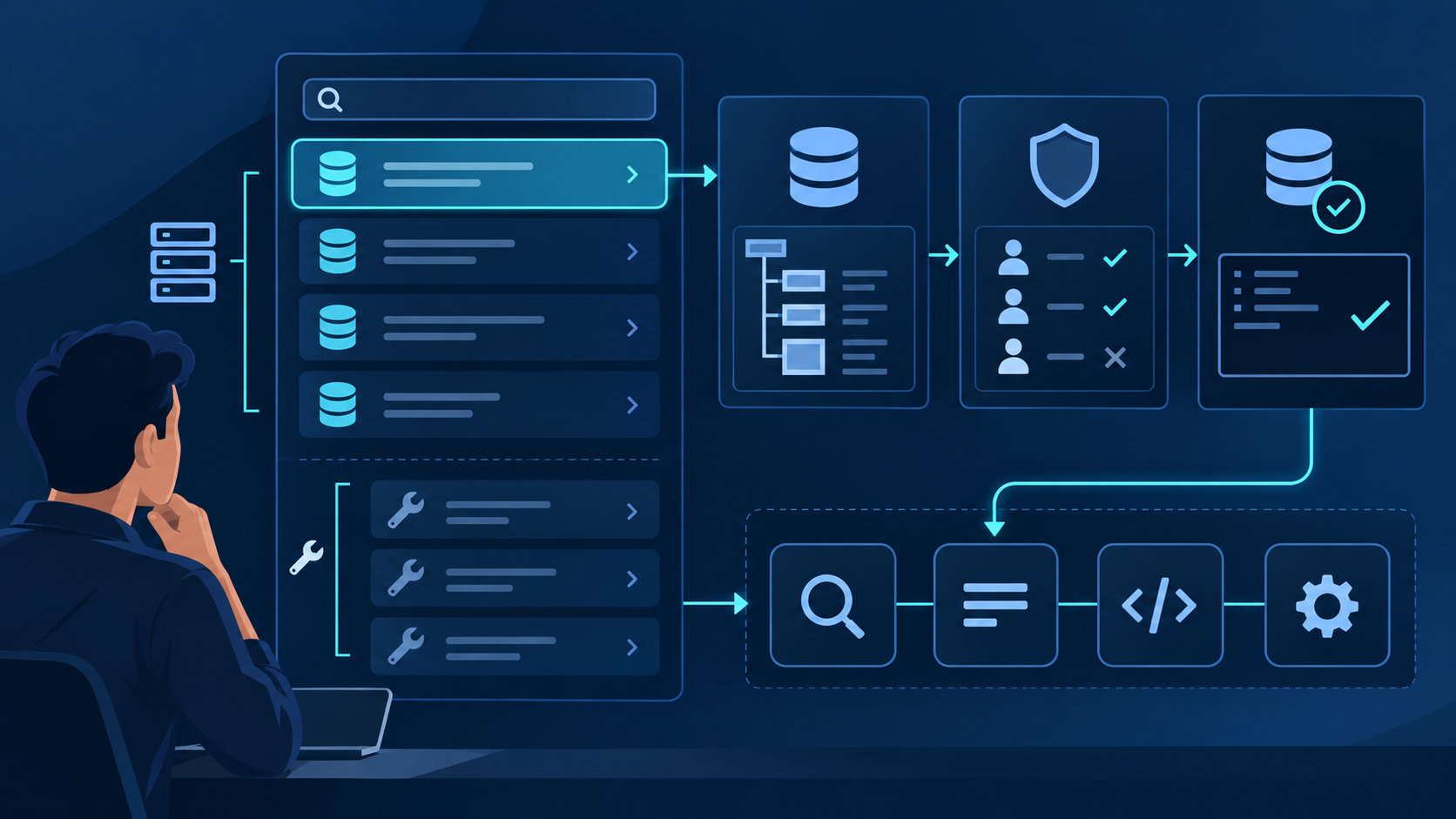
The best alternative depends on the layer you want to replace
Choose Pipedream MCP when your product must connect each user's Gmail, Slack, Notion, GitHub or other app account with managed OAuth and expose ready-made actions through MCP.
Choose QVeris when you already have an agent runtime and need natural-language capability discovery, pre-call inspection, provider-aware selection and a unified execution layer.
Agent engineers, platform teams and product leaders comparing MCP integration architecture—not consumers looking for a personal automation app.
Know who owns orchestration, whether tools act on user-connected accounts, where credentials live, and whether capabilities are fixed at design time or selected at runtime.
What Pipedream MCP actually provides
Pipedream's official documentation describes an MCP service powered by Pipedream Connect. It exposes more than 10,000 prebuilt tools across more than 3,000 APIs, with managed OAuth and encrypted credential storage. That is meaningful infrastructure, not merely a connector directory.
A person connects Pipedream MCP to ChatGPT, Claude, Cursor or another MCP client, authorizes selected apps, and invokes app-specific tools.
A product uses Connect projects, client credentials, external user IDs and account connections so its agent can act on behalf of many end users.
The developer MCP server supports SSE and Streamable HTTP. Requests are scoped with a project, environment, external user and app; custom tools can also be published into a workspace.
App integration MCP vs capability routing
Pipedream's natural unit is an app and a connected account. QVeris starts from a capability request. The agent can describe the outcome it needs, inspect candidates and then call one. Neither model is universally better; they optimize different control points.
- Choose or discover an app integration
- Connect a user-owned account
- Expose app-specific actions to the agent
- Execute with managed credentials
- Describe the capability in natural language
- Discover matching providers or tools
- Inspect parameters and execution signals
- Call the selected capability through one interface
Pipedream MCP alternative comparison
| Decision area | Pipedream MCP | QVeris |
|---|---|---|
| Primary job | Connect app accounts and expose prebuilt API actions through MCP. | Discover, inspect and route capabilities for an existing agent. |
| Starting point | An app such as Slack, GitHub, Notion or Google Sheets. | A required outcome expressed as a capability. |
| Authentication | Managed OAuth, connected accounts and token storage are core strengths. | Execution access is handled at the capability layer; it is not a replacement for embedded end-user OAuth. |
| Tool discovery | App discovery and app-specific tool registries; tools can be loaded dynamically. | Natural-language capability discovery is a first-class operation. |
| Pre-call inspection | Tool metadata and annotations describe app actions. | Inspect is a separate step for parameters and available execution signals. |
| Workflow runtime | Pipedream also offers event-driven Workflows and a visual builder. | Bring your own agent or workflow runtime; QVeris focuses on the capability layer. |
| Custom tools | Publish custom tools into a Pipedream workspace. | Connect through MCP, REST, Python SDK, TypeScript SDK or CLI. |
| Pricing unit | Connect production pricing considers credits and unique external users. | Discover and Inspect are free; Call consumes capability credits. |
| Best fit | Products that need broad SaaS integrations and user-connected accounts. | Agents that need flexible, inspectable capability selection across providers. |
Do not choose by tool count alone. Confirm that the exact actions you need exist, their read/write semantics are clear, your client can handle the tool names, and credentials can be governed under your policy.
Which option fits common agent projects?
Choose Pipedream MCP. End-user account linking, managed OAuth and app actions are the heart of the requirement.
Choose QVeris when the agent should discover candidates, inspect the interface and then call a suitable provider.
Pipedream Workflows is the closer fit when triggers, steps, code and hosted workflow execution belong in one product.
QVeris avoids introducing a second orchestration system when your current runtime already owns planning, memory and approvals.
Use Pipedream for user auth and QVeris for routed capabilities
A hybrid design is often more accurate than a full replacement. Pipedream can connect and protect user-owned app credentials. QVeris can handle capabilities that should be discovered and inspected independently of a fixed SaaS account.
Mark it as user-account action, shared infrastructure capability or internal-only operation.
Keep connected-account credentials in Pipedream; keep service or capability credentials in the appropriate server-side control plane.
Use an app tool when the action belongs to a named user account; use discovery and inspection when multiple capabilities may satisfy the request.
Pass one correlation ID across the agent run, Pipedream tool call and QVeris capability call.
{
  "intent": "prepare_customer_brief",
  "routes": {
    "user_connected_apps": "pipedream_mcp",
    "discoverable_capabilities": "qveris"
  },
  "policy": {
    "inspect_before_call": true,
    "write_actions_require_approval": true,
    "max_retries": 2,
    "timeout_ms": 15000
  },
  "audit": ["run_id", "route", "tool_or_capability", "cost", "status"]
}How to move from Pipedream MCP without breaking workflows
Export the apps, tools, external-user relationships, write permissions and call frequency used in production.
Do not migrate a user-connected OAuth action as if it were an anonymous data API.
For every retained capability, document inputs, outputs, permission level, expected latency, retry behavior and cost ceiling.
Run read-only requests on the new route and compare correctness, latency, failures and audit detail.
Keep destructive or account-scoped actions on the old route until approval and rollback tests pass.
Retain a reversible feature flag until error budgets and cost targets remain stable under production traffic.
Controls to require before production
Never expose OAuth client secrets, access tokens or provider keys to the model or browser. Bind user actions to the correct external user and account.
Use allowlists, approval gates and clear destructive-action annotations. Discovery permission must not automatically grant execution permission.
Set per-run and per-user ceilings. Include retries, workflow compute, external users, capability credits and upstream provider fees.
Measure P50 and P95 for the entire route. Tool discovery, OAuth redirects, model turns and provider calls all affect user-visible latency.
Test a production-shaped workflow, not a demo prompt
- Normal, missing, malformed and unauthorized inputs produce controlled outcomes.
- The agent selects the correct user account and never crosses tenant boundaries.
- Read and write tools are distinguishable before execution.
- Timeouts, retries and provider failures do not create duplicate side effects.
- Cost per successful outcome includes failed attempts and authentication overhead.
- A reviewer can reconstruct intent, route, arguments, approval and result from one audit trail.
Common failure modes
Load tools by app or discover capabilities on demand. A massive fixed tool list increases selection errors and token cost.
Log external user, account and app identifiers; require confirmation for ambiguous or high-impact actions.
Verify HTTPS, callback configuration, popup policy and server-side token creation. Never move secrets into client code as a shortcut.
Use idempotency keys and bounded retries for writes. A model retry should not send the same message or create the same ticket twice.
Compare cost per completed workflow
Pipedream states that hosted MCP is free for personal use and Connect is free in development mode. Production Connect pricing is based on credit-consuming operations and the number of unique external users. QVeris lists Discover and Inspect as free, while Call uses credits based on the chosen capability.
Fair comparison formula: integration platform + external users + workflow compute + model tokens + capability or provider charges + retries + log retention + operational labor. Prices change; verify the official pages before procurement.
Pipedream MCP alternative questions
What is the best Pipedream MCP alternative?
It depends on the missing layer. QVeris fits teams that already have an agent runtime and need capability discovery, inspection and routed execution. Pipedream remains a strong fit for managed OAuth and broad app integrations.
Can QVeris fully replace Pipedream MCP?
Not in every case. QVeris can replace the capability discovery and routing layer, but it is not a direct substitute for Pipedream Connect's end-user OAuth, connected-account management or visual workflows.
Can Pipedream MCP and QVeris work together?
Yes. Pipedream can authenticate a user's app account and expose app actions, while QVeris discovers, inspects and routes other capabilities needed by the same agent.
Which option is better for user-connected SaaS apps?
Pipedream MCP is usually the better fit when a product must connect each end user's Gmail, Slack, Notion, GitHub or other SaaS accounts with managed OAuth.
Which option is better for dynamic capability discovery?
QVeris is designed around natural-language discovery, inspection and calling, so it is the more direct fit when an agent should select a capability at runtime instead of loading a fixed app tool set.
How does Pipedream MCP pricing differ from QVeris?
Pipedream Connect pricing combines credit usage with external-user counts, while QVeris makes discovery and inspection free and meters calls by capability credits. Compare cost per completed workflow, not plan prices alone.
Does Pipedream MCP support Streamable HTTP?
Yes. Pipedream's developer documentation states that its remote MCP server supports both SSE and Streamable HTTP transports.
Verify current product details
This comparison was checked against first-party documentation on July 30, 2026.
Already have orchestration? Evaluate capability routing next.
Discover and inspect capabilities before execution, while keeping your existing model, memory, approval and workflow runtime.