
Supabase Claude Code MCP
Use Claude Code with Supabase MCP to inspect schema, draft and review migrations, and verify approved changes in development before production release.
TL;DR
Start project-scoped and read-only. Capture the relevant schema, policies, indexes, migrations, advisors, and application assumptions before designing a change.
Require a migration plan, exact SQL, dependencies, lock and backfill risks, rollback, and tests. A plausible explanation is not an executable approval.
Apply an approved change to an isolated development project or branch, never directly to production data through an agent session.
Check resulting schema and policies, run security and performance advisors, test data behavior, and confirm application paths before promotion.
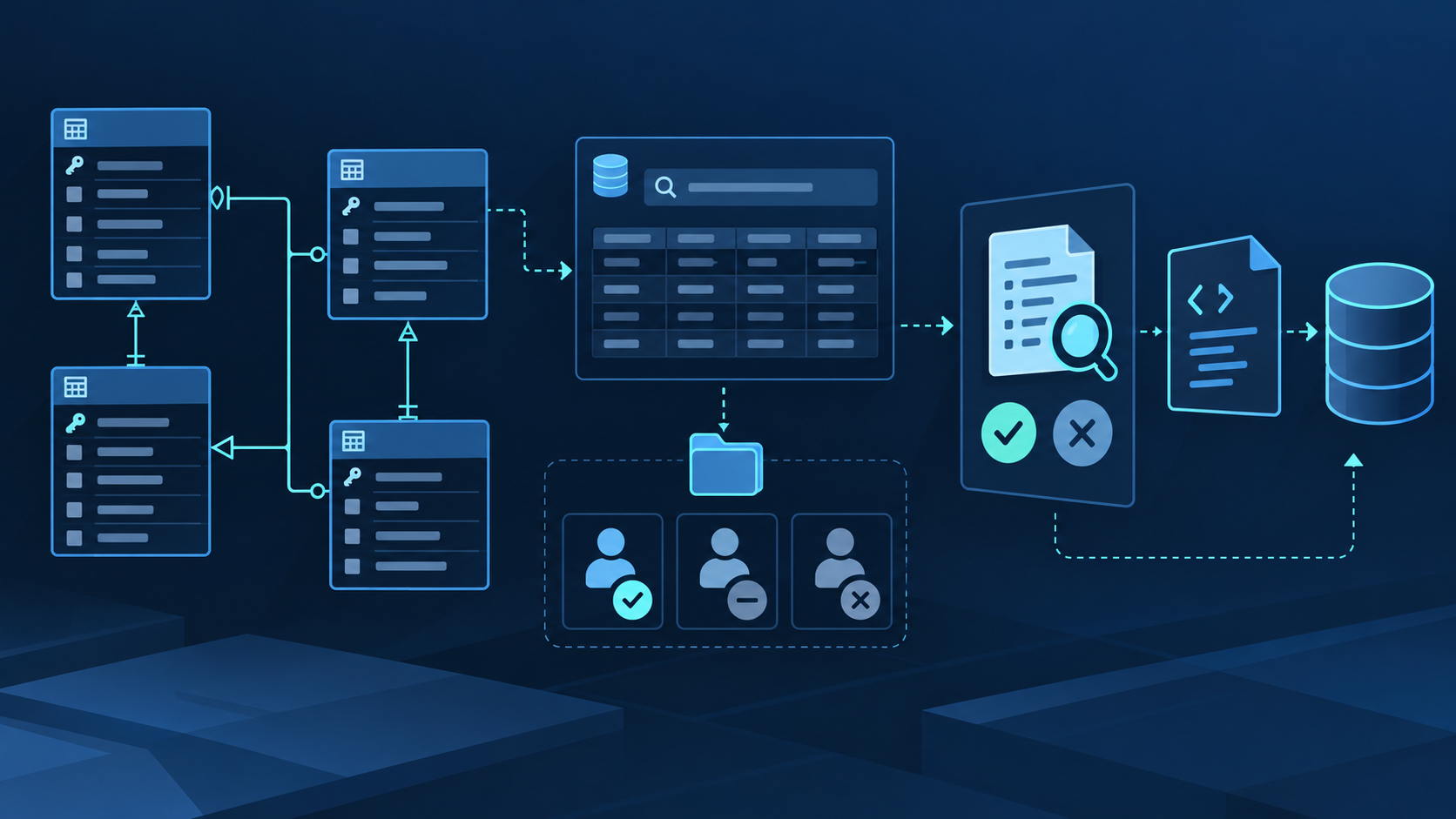
Supabase Claude Code MCP works best as a guarded database development loop, not an autonomous production operator. The loop is evidence-driven: inspect the current state, draft the smallest reviewable change, obtain human approval, apply it only in development, verify the database and application behavior, and promote through the team's normal migration pipeline. Keep every phase independently observable so a wrong assumption is caught before it becomes a write.
Understand the Supabase Claude Code MCP architecture
Claude Code is the reasoning client, the official hosted Supabase MCP server exposes selected tool groups, and the bound development project remains the system of record. OAuth grants access under the authenticated developer account. The URL then narrows that authority with project_ref, read_only=true, and features. These controls complement one another: account permissions define the ceiling, project scope limits the target, read-only limits database mutation, and feature groups reduce visible actions.
| Layer | Responsibility | Evidence to retain | Primary risk |
|---|---|---|---|
| Claude Code | Turns intent and repository context into proposed tool calls. | Prompt, selected tool, arguments, and approval. | Incorrect assumptions or prompt injection. |
| Supabase MCP | Translates approved calls into documented Supabase operations. | Server URL, scope, feature groups, tool result, and error. | Too many tools or the wrong project. |
| Development project | Holds the schema, data, policies, functions, migrations, and logs under test. | Before/after schema, advisors, tests, logs, and migration history. | Sensitive data, destructive SQL, or unreviewed drift. |
| Repository workflow | Stores reviewed migration files, application changes, tests, and deployment history. | Diff, review, CI result, approver, and release record. | Bypassing version control with direct changes. |
Use the current Supabase MCP guide to configure the hosted endpoint and tools. Supabase changes frequently; record the reviewed URL and date with the project rather than assuming an older feature list still matches the service.
Build an inspect, draft, review, and verify loop
Have Claude identify the server, project, branch, schemas, and read-only state. Inspect only objects related to the feature: table definitions, relationships, indexes, policies, views, functions, migrations, and relevant advisors. Ask it to distinguish observations from assumptions.
Describe the desired application behavior and acceptance criteria. Claude should propose one reviewable migration with exact SQL, affected objects, dependency order, expected locks, data backfill strategy, compatibility concerns, rollback, and tests. It must stop before execution.
Check destructive statements, constraint validation, index build cost, long transactions, policy coverage, view security, function privileges, default grants, and data transformations. Confirm that an UPDATE policy has the required SELECT path and that ownership conditions protect individual rows.
Use a migration file in version control and the team's established migration path. If direct SQL is used for exploration, keep it in a disposable environment and convert the approved final state into a clean migration rather than leaving undocumented drift.
Re-read the affected schema, migration history, policies, and advisors. Test expected access as each relevant role, rejected access for non-owners, application queries, generated types, rollback assumptions, and performance-sensitive paths. Compare evidence with the original acceptance criteria.
Commit the reviewed migration and tests, obtain code review, run CI, and deploy with the team's release controls. Record the production verification plan, but do not repoint the interactive MCP session at production to perform the promotion.
Approval boundary: approving a plan is not the same as approving its execution. The review should name the exact migration, target development environment, allowed tools, verification steps, and stop condition. Any generated SQL that differs from the reviewed version requires a new approval.
Write prompts that preserve database intent
Name the project, branch, schema, feature, and objects in scope. Tell Claude which tools it may use, explicitly forbid writes until approval, and identify files it may edit in the repository.
Ask for observed definitions, policies, migrations, advisors, and application call sites. Require citations to object names and separate facts, assumptions, and unanswered questions before a migration is drafted.
Require a change summary, SQL, affected objects, risk analysis, data migration strategy, rollback, test matrix, and explicit “stop before apply.” A stable format makes review faster and missing sections visible.
Specify expected reads and writes by role, denied cases, query plans or latency bounds where relevant, application tests, advisor findings, and the evidence needed before promotion.
Reusable prompt: “Use only the project-scoped Supabase MCP server in read-only mode. Inspect the objects related to [feature] in [schema] and the repository migrations that define them. Report facts, assumptions, and questions. Then propose the smallest migration with exact SQL, risks, rollback, and tests. Do not execute SQL, apply a migration, deploy a function, or change data.”
Apply production-grade safety boundaries
Supabase describes this MCP server as a development and testing tool. Use a development project or branch with synthetic or obfuscated data. Read-only mode still permits disclosure of readable data, so it does not make a production connection safe.
Rows, logs, function source, and imported text can contain prompt injection. Keep manual tool approval enabled and reject any call whose purpose or target changes after external content is read.
Use browser OAuth for interactive access. Keep service-role and personal access tokens out of prompts, repository files, screenshots, logs, and shell history. Rotate any credential that may have been exposed, and recheck the shared project URL before approval.
Enable RLS on exposed tables and use policies that express ownership, not merely an authenticated role. Review view security, function execution grants, SECURITY DEFINER, schema exposure, and the difference between Data API grants and row policies.
Extend the workflow beyond Supabase with QVeris
Supabase MCP should remain the focused path for database context and backend operations. The QVeris Tool and Provider directories currently return no exact Supabase record, so this page uses QVeris Docs and the Playground for complementary discovery instead of claiming a direct integration.
- Keep project schema, policies, migrations, logs, and development changes inside Supabase MCP.
- Use QVeris only when discovery returns a separate external capability; inspect its provider and schema before use.
- Validate external data before it enters a migration or table, and require approval before any cross-system write.
FAQ
It may be technically possible, but production changes should remain reviewable and explicitly approved. Generate a migration, inspect the diff, use the normal deployment path, and verify afterward.
Confirm the authenticated account, project reference, branch, schema, and permissions. Empty output often means the wrong scope rather than missing data.
Use read-only SQL for inspection in development. Durable approved schema changes belong in reviewed migration files so repository history and deployment environments stay aligned.
Do not assume so. MCP runs with authenticated developer permissions, and some privileged database paths can bypass application-level expectations. Review the exact role and operation.
Compare schema and policies, inspect migration history, run security and performance advisors, test allowed and denied access, and exercise affected application queries.
Supabase recommends its MCP server for development and testing. Promote reviewed repository changes normally; do not make an interactive agent a production operator.
References and next steps
Supabase MCP guide
Supabase MCP repository
Claude Code MCP documentation