
Serve Claude Code as MCP
Build an MCP wrapper for a narrow Claude coding task, enforce workspace and permission limits, and validate one read-only result before remote access.
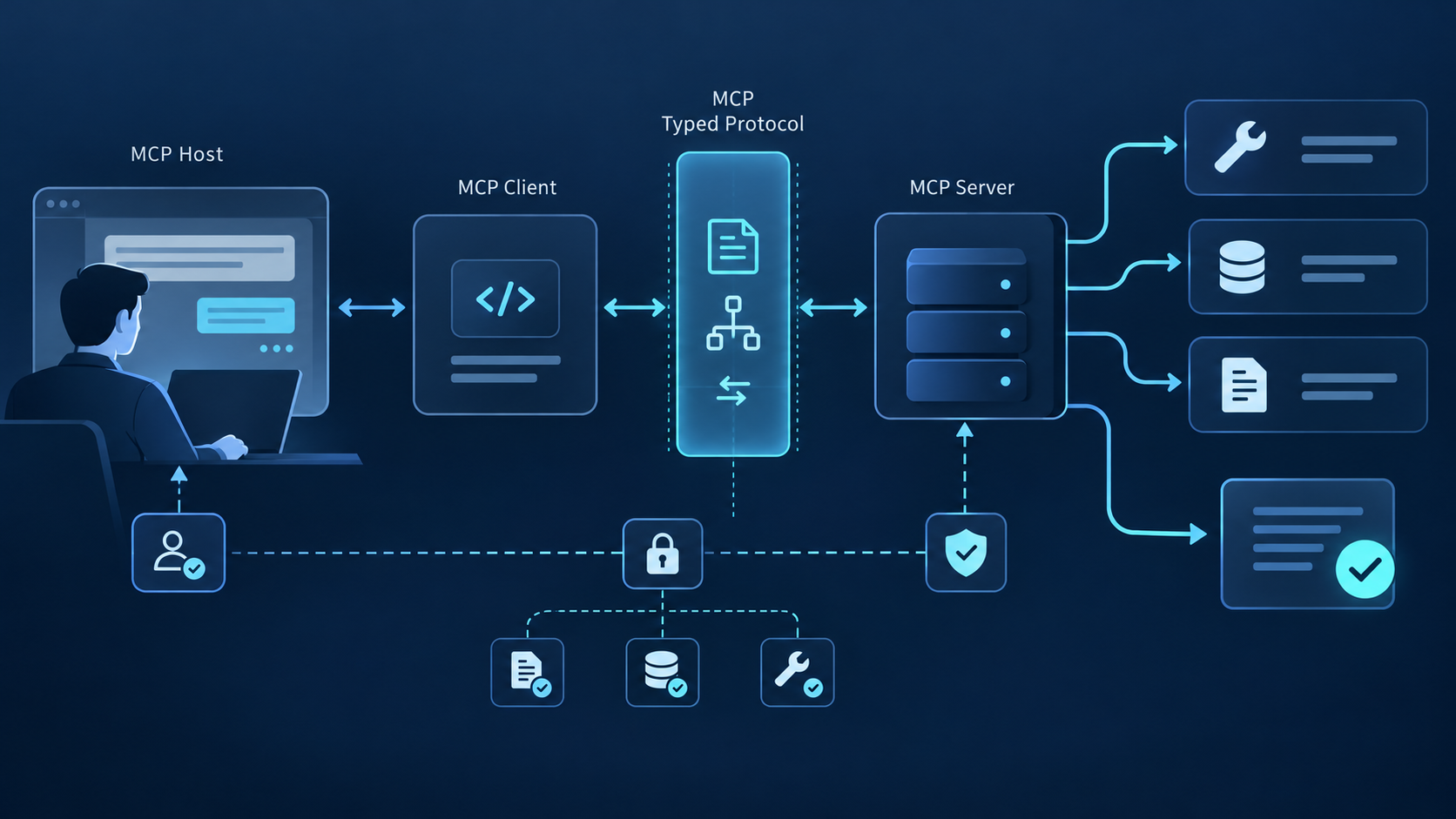
There is no one-click “Claude Code MCP server” mode
Claude Code is normally an MCP client: it connects to servers and uses their tools. To serve a Claude-powered coding workflow through MCP, you build a server wrapper that exposes your own task-specific tools and invokes an approved programmatic execution path behind them. That path can use Claude Code print mode for a small job-shaped prototype or the Claude Agent SDK for a service that needs streaming, sessions, hooks, custom tools, and tighter lifecycle control.
Publish explain_repository, review_diff, or plan_fix with strict schemas. A generic run_any_prompt endpoint hides intent and weakens policy.
The server resolves an opaque workspace ID to an approved directory. Never accept an arbitrary filesystem path or let prompt text choose the working directory.
Set allowed and denied tools, permission mode, model, maximum turns, wall-clock timeout, output limit, cancellation, and artifact retention.
Prove one read-only STDIO tool before adding HTTP, authentication, tenancy, queues, persistence, and horizontal scaling.
Design the trust boundary before the tool catalog
The MCP server is not a transparent protocol adapter. It is the policy enforcement point between a caller and a coding agent that may read source, run commands, modify files, or reach the network. The wrapper must authenticate the caller, authorize the workspace and task, validate every argument, create an isolated execution context, and normalize the result. Claude should never receive powers that the server did not intentionally grant.
| Layer | Responsibility | Unsafe shortcut | Required evidence |
|---|---|---|---|
| MCP surface | Stable tool names, descriptions, typed inputs, bounded outputs. | One arbitrary-prompt tool with free-form options. | Schema tests and compatibility contract. |
| Policy | Caller, tenant, workspace, action, tool, and network authorization. | Relying only on a system prompt saying “be safe.” | Explicit allow/deny decision and reason. |
| Execution | Isolated process or container, fixed workspace, clean environment, limits. | Running under a developer's long-lived account on a shared host. | Image/version, mounts, identity, limits, start time. |
| Agent | Execute the narrow task with selected tools and instructions. | Skipping permissions to make unattended runs convenient. | Model, turns, tool calls, permission events, status. |
| Result | Structured status, summary, findings, artifacts, and safe diagnostics. | Returning raw logs, secrets, or unlimited repository content. | Job ID, timestamps, artifact hashes, redaction record. |
Choose the execution interface deliberately
Useful for a small prototype or independent batch job. claude -p can return text, JSON, or stream JSON and supports limits such as maximum turns and explicit tool policies.
Better when the service needs programmatic sessions, streaming events, custom tools, permission callbacks, hooks, resume behavior, or consistent application-level control.
Consider a managed product when the real requirement is a hosted customer-facing agent with durable sessions, rather than an MCP wrapper you want to operate yourself.
Implement one bounded request-to-result path
Start with a read-only tool such as review_diff. Its inputs might include an approved workspace ID, base revision, target revision, review categories, and maximum findings. They should not include an arbitrary shell command, environment block, path, model flag, or permission override. The server owns those controls.
Parse against a closed schema, reject unknown fields, normalize revisions, cap strings and arrays, and resolve the workspace through an allowlist. Return a protocol error without invoking Claude when validation fails.
Assign a job ID, temporary writable directory, execution identity, deadline, output budget, and cancellation token. Mount the approved source read-only for analysis unless the tool contract explicitly permits edits.
Keep policy and response format in server-owned instructions. Insert validated task data into clearly delimited fields. Treat repository content and caller text as untrusted data, not instructions that can expand permissions.
For print mode, select a structured output format, maximum turns, allowed and disallowed tools, and an appropriate permission mode. For the SDK, configure the same boundaries through options and permission callbacks.
Map internal events to a small status vocabulary such as queued, running, awaiting approval, completed, canceled, or failed. Redact secrets, absolute host paths, raw environment data, and unrelated source content.
Return typed findings, summary, changed-file list, test results, artifact references, and a terminal status. Include the workspace revision and artifact hashes so clients can verify what was analyzed.
Critical rule: do not use --dangerously-skip-permissions as the automation strategy. A service cannot replace interactive confirmation by removing the boundary. Implement a permission callback, approval tool, pre-authorized read-only toolset, or job-specific policy instead.
Add remote access only after local behavior is deterministic
STDIO is the smallest deployment boundary because the client starts the process and no listener is exposed. A remote Streamable HTTP server becomes a distributed, multi-user execution service. It needs authentication before tool discovery, per-tool authorization, protected-resource metadata, tenant isolation, session handling, request and output limits, queueing, cancellation, backpressure, and safe shutdown. TLS alone does not provide these controls.
| Operational risk | Control | Test |
|---|---|---|
| Duplicate execution | Idempotency key and server-owned job record. | Retry the same request during timeout and confirm one job. |
| Runaway agent | Turn, wall-clock, CPU, memory, disk, output, and cost ceilings. | Force loops and large output; verify termination and cleanup. |
| Cross-tenant access | Separate identity, workspace mount, session store, cache, and logs. | Attempt workspace and session IDs from another tenant. |
| Client disconnect | Cancellation policy, lease, heartbeat, and detached-job rules. | Drop connection at each stage and inspect job outcome. |
| Secret exposure | Minimal environment, secret broker, redaction, egress allowlist. | Plant synthetic secrets and verify they never reach results or logs. |
| Partial failure | Terminal status, artifact commit protocol, cleanup, resumability. | Kill process mid-write and verify no ambiguous success. |
Log decisions, not entire workspaces
- Record caller, tenant, tool, schema version, workspace ID, immutable revision, policy decision, job ID, model, duration, tool counts, status, and artifact identifiers.
- Do not retain raw prompts, source files, environment blocks, command output, or model traces by default. Make any diagnostic retention explicit, minimized, encrypted, and time-bounded.
- Expose health separately from MCP, and never make a health response disclose tenants, paths, credentials, prompts, or active task content.
- Pin and roll forward tested versions. A Claude Code or Agent SDK update is an execution-engine change that deserves compatibility and security testing.
Keep external capabilities outside the privileged wrapper
The coding service should remain focused on approved repositories and development tasks. This topic has no exact QVeris Tool or Provider profile, so the CTA uses general product destinations. If a workflow needs external APIs or live data, define that as a separate capability boundary, review the integration model in QVeris Docs, and test it independently in the QVeris Playground.
- Use separate credentials, policies, logs, and approval rules for coding and external calls.
- Pass only the minimal, sourced result into the coding job instead of giving it broad provider credentials.
- Retain provider, timestamp, units, parameters, and result identifiers so downstream code decisions remain auditable.
Serving Claude Code as MCP FAQ
No one-click server mode should be assumed. Build an MCP wrapper around a supported programmatic path such as print mode or the Claude Agent SDK.
It collapses many risk classes into one opaque call. Task-specific tools have clearer schemas, permissions, tests, cost bounds, and expected outputs.
Use print mode for small independent jobs. Use Agent SDK when you need sessions, streaming, hooks, custom tools, permission callbacks, or service-grade lifecycle control.
It can if you intentionally design a write contract, isolated writable workspace, approval flow, validation, tests, artifact handling, and rollback. Read-only is the safer first milestone.
After the STDIO implementation is deterministic and authentication, authorization, isolation, quotas, cancellation, audit, and incident response are ready.
Use server-owned session IDs bound to tenant and workspace. Define expiry, resume rules, concurrency, storage, deletion, and what happens when the client disconnects.
References and next steps
Claude Code CLI reference
Claude Code programmatic use
Claude Agent SDK overview
Anthropic agent hosting guide
Claude Code permissions
QVeris MCP Server docs
QVeris Playground