
PostHog MCP Claude Code Guide
Use PostHog MCP in Claude Code to link events to capture code and test hypotheses; confirm project, time window, and privacy boundaries.
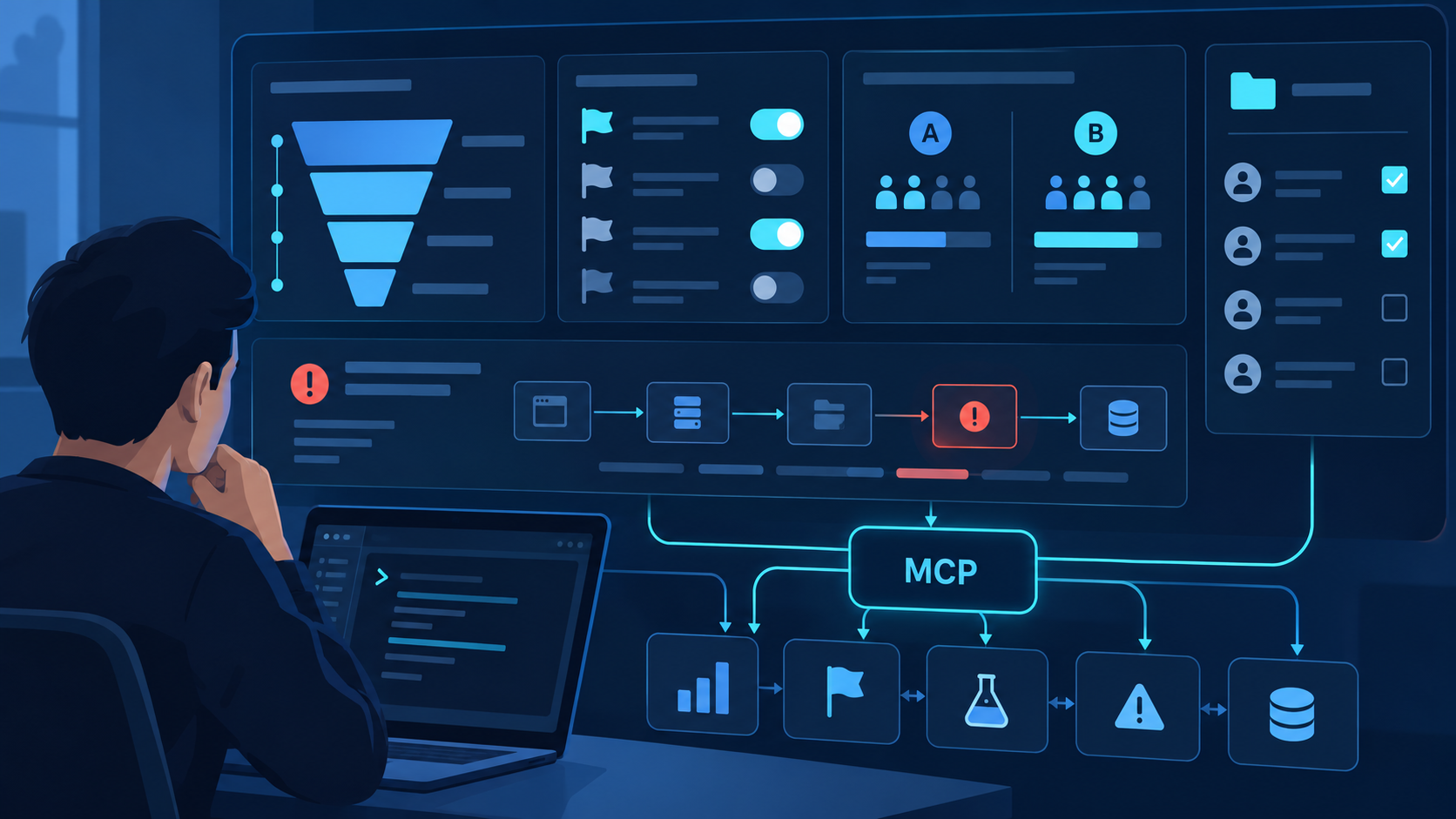
What PostHog MCP changes inside Claude Code
PostHog MCP lets Claude Code connect product behavior with implementation context in one investigation. Instead of copying a chart into a prompt, the agent can inspect approved PostHog resources, locate the event capture or feature-flag code that produced them, test a hypothesis, and propose a bounded patch. The connection does not make an analytics conclusion automatically correct. Project selection, event definitions, identity rules, timezone, filters, and query windows still determine what the numbers mean.
Name the behavior, population, time window, comparison, and decision. “Why is activation down?” is a topic; a segmented week-over-week funnel question is testable.
Record the PostHog host, organization, project, timezone, and environment before querying. Similar project names can silently produce credible but wrong results.
Move from events to capture code and from capture code back to observed events. This reveals naming drift, missing properties, and duplicate instrumentation.
Explore read-only. Treat changes to flags, experiments, annotations, dashboards, or project configuration as distinct actions requiring review.
Install the current PostHog MCP integration
PostHog's earlier standalone MCP repository was archived after the server moved into the PostHog monorepo. Do not build a new setup around an old repository snippet. PostHog currently directs users to its product documentation and provides a wizard that can add the MCP integration to Claude Code and other supported clients.
Decide whether the workspace uses PostHog Cloud US, Cloud EU, or an approved self-hosted deployment. Authentication and project discovery must correspond to the same host.
PostHog documents npx @posthog/wizard@latest mcp add as the quick installation path. Select Claude Code, follow the generated setup, and inspect changes before accepting any project-level configuration.
Use an identity that has access to the required project and no unnecessary administrative role. If the browser already has multiple PostHog sessions, verify the selected account before granting consent.
Open Claude Code's MCP view, confirm PostHog is connected, and list the exposed tools without calling a mutation. Note whether the session can read or modify projects, flags, experiments, insights, or other resources.
Retrieve a known event or saved insight over a short, explicit period. Compare the project, timezone, filters, interval boundaries, and result with the PostHog interface.
| Checkpoint | Passing evidence | If it fails |
|---|---|---|
| Discovery | PostHog appears connected in Claude Code. | Inspect wizard output, client config, restart, and server URL. |
| Identity | Expected organization and projects are visible—no more, no less. | Reauthorize the correct account and review role assignments. |
| Semantics | A known query matches UI settings and results. | Check project, event name, properties, timezone, filters, and date boundaries. |
| Boundary | Only required tools and resources are exposed. | Reduce account role, configuration, or available tool scope. |
Run an evidence-backed analytics-to-code investigation
The strongest workflow begins with a falsifiable statement, not a dashboard tour. Define the expected relationship and the evidence that would reject it. Then let Claude Code inspect the instrumentation and PostHog data separately before joining them. This prevents an implementation guess from contaminating the query and a noisy chart from dictating a premature code change.
| Stage | Question | Claude Code task | Evidence |
|---|---|---|---|
| Frame | What behavior, population, period, and decision? | Write the hypothesis, exclusions, baseline, and success threshold. | Analysis contract. |
| Inspect code | How should the behavior be captured? | Locate capture calls, property construction, identity, flags, and recent changes. | Paths, lines, commits, tests. |
| Inspect data | What was actually observed? | Query the smallest event, funnel, trend, cohort, flag, or experiment slice that tests the claim. | Project, query, filters, window, result. |
| Reconcile | Where do implementation and behavior diverge? | Check event naming, missing or changed properties, duplicate capture, identity, and release timing. | Supported cause and alternatives. |
| Change | What is the smallest reversible fix? | Propose code, schema, flag, migration, tests, rollout, and rollback separately. | Patch and validation plan. |
| Measure | Did behavior change as expected? | Repeat the saved query with a valid post-change window and guardrail metrics. | Comparable before/after record. |
Reusable investigation prompt: “In the named PostHog project, test whether new-user activation fell after release X. Use the project timezone, define activation explicitly, exclude internal users, segment by platform, and compare equal complete periods. Inspect the repository capture and identity code, but do not edit files or change PostHog resources. Return the query definition, evidence, limitations, likely causes, and smallest validation plan.”
Useful starting investigations
- Instrumentation drift: compare event names and required properties in code with recently observed schema and volume.
- Feature-flag cleanup: find flag references in the repository, then verify rollout, exposure, experiment, and activity state before removing code.
- Funnel regression: identify the first changed step, segment the drop, and connect it to releases or capture changes instead of rewriting the full flow.
- Error prioritization: combine recurrence, affected users, route, release, and stack evidence with the local implementation before proposing a fix.
Protect privacy and analytical reproducibility
Product analytics can contain identifiers, URLs, text properties, recordings, error details, and organization-specific metadata. Give Claude Code only the minimum resources needed for the question, avoid requesting raw person-level data when aggregated evidence is enough, and never copy secrets or sensitive payloads into prompts. Read-only access should be the default, but it still deserves governance.
Prefer counts, grouped trends, funnels, and anonymous cohorts. Request individual events only when the diagnosis cannot be completed otherwise.
Retain project ID, timezone, event definitions, filters, breakdowns, date boundaries, sampling, and generated query—not only the final number.
Changing a flag or experiment can affect live users. Show current state, proposed state, rollout population, guardrails, owner, and rollback before approval.
Validate launch, rollback, pricing, privacy, or high-impact product decisions in the PostHog interface with an accountable reviewer.
When two counts disagree, compare them systematically: host and project, timezone, inclusive versus exclusive date bounds, event versus unique-user aggregation, property type, test-account filters, identity merge behavior, ingestion delay, sessionization, sampling, and event-definition changes. Do not “fix” the code until the queries are actually equivalent.
Use QVeris only when the investigation crosses systems
PostHog MCP remains the direct supplier integration for PostHog product analytics. A live QVeris catalog search did not surface an exact PostHog Tool or Provider profile, so this page does not attach an unrelated result to the CTAs. When the investigation genuinely requires another API or live data source, review QVeris Docs and test the capability independently in the QVeris Playground.
- Keep PostHog as the provenance source for product behavior.
- Label every external dataset with its provider, timestamp, units, and join assumptions.
- Validate additional capabilities before combining their output with a PostHog conclusion or write action.
PostHog MCP for Claude Code FAQ
Use PostHog's current MCP documentation and official wizard. The former standalone PostHog/mcp repository is archived after the implementation moved into the monorepo.
No. MCP supports agent workflows; the UI remains important for visual exploration, sharing, permission checks, and confirmation of consequential decisions.
Start read-only. Add a specific write capability only when the workflow requires it, and approve the exact target and payload immediately before the call.
Check host, project, timezone, date boundaries, aggregation, filters, identity mode, ingestion delay, sampling, and event-definition drift.
Yes. It can compare repository references with PostHog flag state, but rollout, exposure, experiment status, dependencies, and rollback requirements need review before removal.
Yes. Trace the capture call, guards, consent, identity, property construction, network behavior, environment, and release timing, then test against a narrow PostHog query.
References and next steps
PostHog MCP documentation
PostHog archived MCP repository
PostHog product analytics
PostHog feature flags
PostHog privacy guidance
Claude Code MCP documentation
QVeris Docs
QVeris Playground