
Context 7 MCP Claude Code Guide
Set up Context7 MCP in Claude Code, resolve the library and version, then check documentation sources before accepting code.
TL;DR
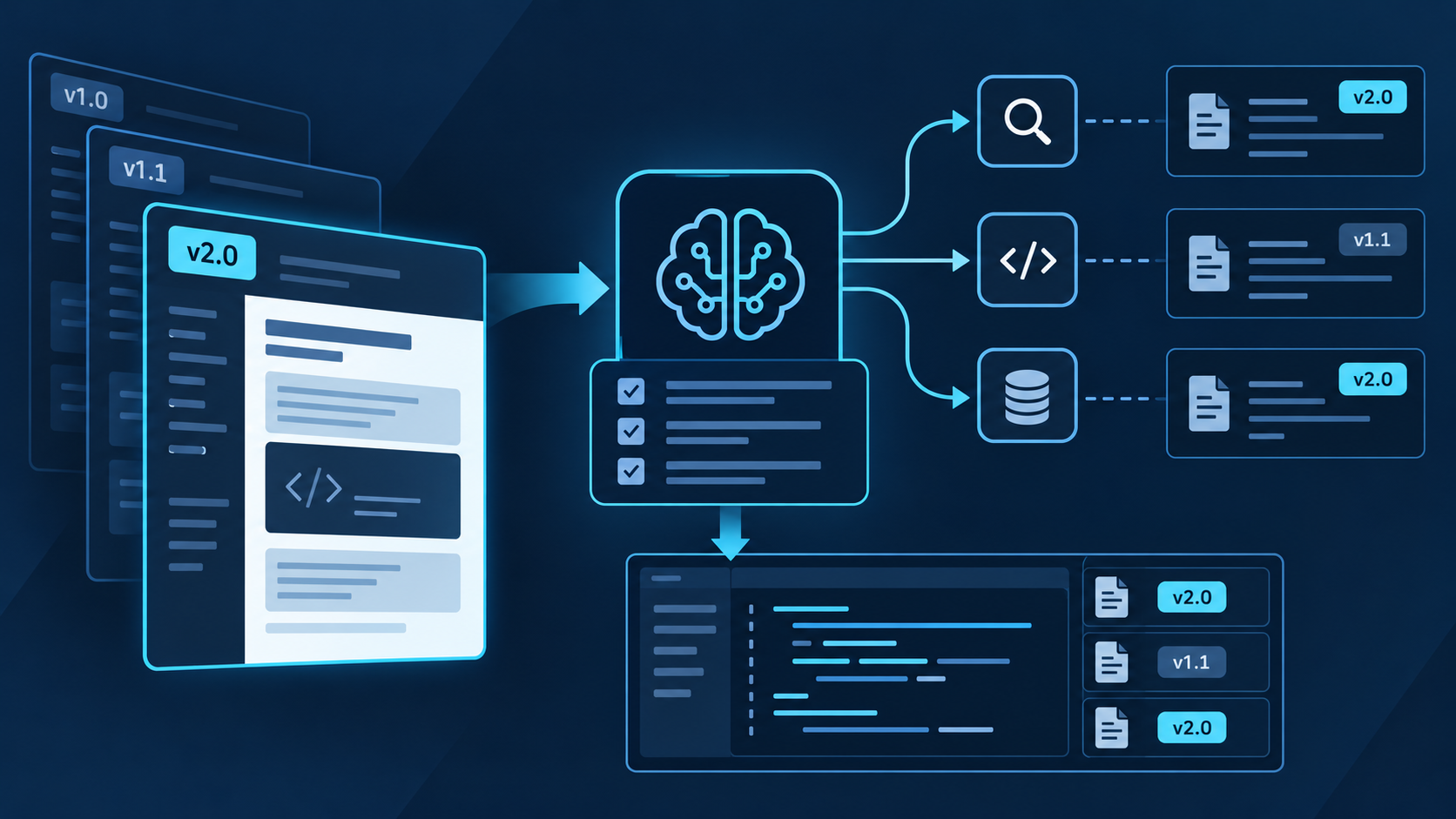
Context7 gives Claude Code two focused documentation tools: resolve a library to its Context7 ID, then query current source material.
With Node.js 18 or newer, run npx ctx7 setup --claude and choose MCP mode, or register the remote HTTP endpoint manually.
Name the library, version, and task. Review the evidence before accepting code.
Accept an answer only when package identity, version coverage, focused source material, repository compatibility, and local tests all agree.
The official product name is Context7; “Context 7 MCP Claude Code” is a spaced search phrase for the same integration. Context7 can improve documentation grounding by resolving a library and retrieving topic-specific source material, but retrieval quality depends on the selected library, indexed version, query scope, and repository evidence. Treat every result as a candidate source set that must be verified, not as automatic permission to edit code.
Set up Context7 MCP in Claude Code
With Node.js 18 or newer, run npx ctx7 setup --claude, choose MCP mode, complete browser authorization, and restart Claude Code if the tools do not appear.
The guided setup can also install CLI + Skills instead of MCP. Context7's official Claude Code plugin adds a documentation lookup skill, a focused docs-researcher agent, and the /context7:docs command. Choose one primary path first; installing multiple modes without a reason can create duplicate behavior and make troubleshooting harder.
Use npx ctx7 setup --claude for the supported guided flow and choose CLI + Skills or MCP. For manual remote HTTP, use https://mcp.context7.com/mcp and pass an API key only through the client's documented secure header mechanism.
Inspect the installed skill, plugin, or MCP definition. Keep API keys out of committed files, shared URLs, prompts, screenshots, and shell history. For a headless machine, use a pre-created key because browser OAuth normally returns to localhost.
For MCP, inspect claude mcp list, claude mcp get context7, and /mcp. Confirm one healthy server and the expected documentation tools. For the plugin, verify the marketplace source, installed plugin, skill, agent, and command.
Choose a familiar dependency pinned in the lockfile, ask one narrow version-specific question, and require the resolved library identity plus source facts. Compare the answer with local types and the library's official documentation.
Prompt Context7 for precise documentation
State the package, installed version, ecosystem, runtime, API surface, and desired artifact. If you know the Context7 library ID, include it to skip ambiguous matching. Ask Claude to show the resolved identity and version coverage before retrieving details. Then limit the query to one task, such as a middleware option, a method signature, or a migration step.
| Step | Claude Code task | Evidence | Reject when |
|---|---|---|---|
| Resolve | Match a package name and ecosystem to the most relevant Context7 library ID. | Resolved ID, project identity, description, and available versions. | A similarly named package, fork, or unrelated ecosystem wins. |
| Constrain | Name installed version, runtime, framework mode, feature, and compatibility limits. | Lockfile, manifest, imports, config, and runtime target. | The requested context assumes another major version or runtime. |
| Query | Ask one focused question instead of retrieving a broad documentation dump. | Relevant source sections, examples, limitations, and version notes. | Results discuss adjacent concepts but not the requested API. |
| Triangulate | Compare retrieved facts with local types, source, configuration, and official release notes. | Agreement on imports, signatures, defaults, and breaking changes. | Sources conflict or version coverage is unclear. |
| Implement | Make the smallest change that satisfies the documented contract. | Focused diff with no unrelated dependency or configuration churn. | Generated code expands scope beyond the reviewed plan. |
| Verify | Run types, lint, tests, build, and a targeted runtime check. | Repository results plus expected runtime behavior. | The code merely resembles the example but fails local evidence. |
Prompt pattern: “Read the lockfile and identify the exact installed [package] version and runtime. Resolve the official Context7 library and show its identity before querying. Retrieve documentation only for [API/topic], including version notes and limitations. Compare it with this repository, propose a minimal change, and stop before editing if the sources conflict.”
Troubleshoot Context7 MCP methodically
Update Claude Code, inspect the installed mode and registration scope, and reload the session. For MCP, use claude mcp list, claude mcp get context7, /mcp, and claude mcp logs context7. For the plugin, confirm marketplace and plugin status.
For local stdio, verify Node.js, package startup, and environment variables. For remote HTTP, verify the official endpoint, secure header configuration, proxy, TLS policy, and API-key status.
Provide the exact package name, ecosystem, repository, or known Context7 library ID. Do not continue merely because the returned documentation discusses a similar framework.
Confirm the requested version is indexed, reduce the query to one API or configuration concern, and state the runtime. If coverage is still absent, use the library supplier's official documentation and changelog directly.
Use a securely stored Context7 key for higher limits. If tools appear twice, identify whether MCP, plugin, and CLI + Skills overlap, remove stale setup, and retain one intentional primary path.
Use QVeris beyond library documentation
Context7 serves software documentation. Current QVeris Tool and Provider searches return no exact Context7 entry, so use QVeris Docs and the Playground only for a separate external capability discovered at runtime.
- Use Context7 to verify the client library contract; use QVeris only to discover a separate live capability.
- Inspect the QVeris result's provider, schema, constraints, and cost before calling it.
- Record provider, timestamp, arguments, response, and approval, then validate the result before repository or data mutation.
FAQ
The product name is Context7. “Context 7 MCP Claude Code” is a common spaced search phrase for the same integration.
Basic use can work without one, but Context7 recommends a free key for higher limits and requires one for private repositories. Treat it as a secret.
Use the guided setup to choose one primary mode. Remote HTTP reduces local startup work; other modes can offer tighter workflow integration.
Check the resolved project identity, ecosystem, description, available versions, and repository package. A similar name is insufficient.
Do not silently use another version. Consult the library supplier's official versioned docs, release notes, source, and local types, and state the coverage gap.
No. It improves the source context used for planning and code generation. Type checks, tests, builds, and focused runtime verification remain required.
References and next steps
Context7 Claude Code guide
Context7 repository
Claude Code MCP documentation