
Claude Code Slack MCP
Connect Claude Code to Slack MCP, verify workspace and channel access, draft posts or replies, obtain approval, send once, and verify.
TL;DR
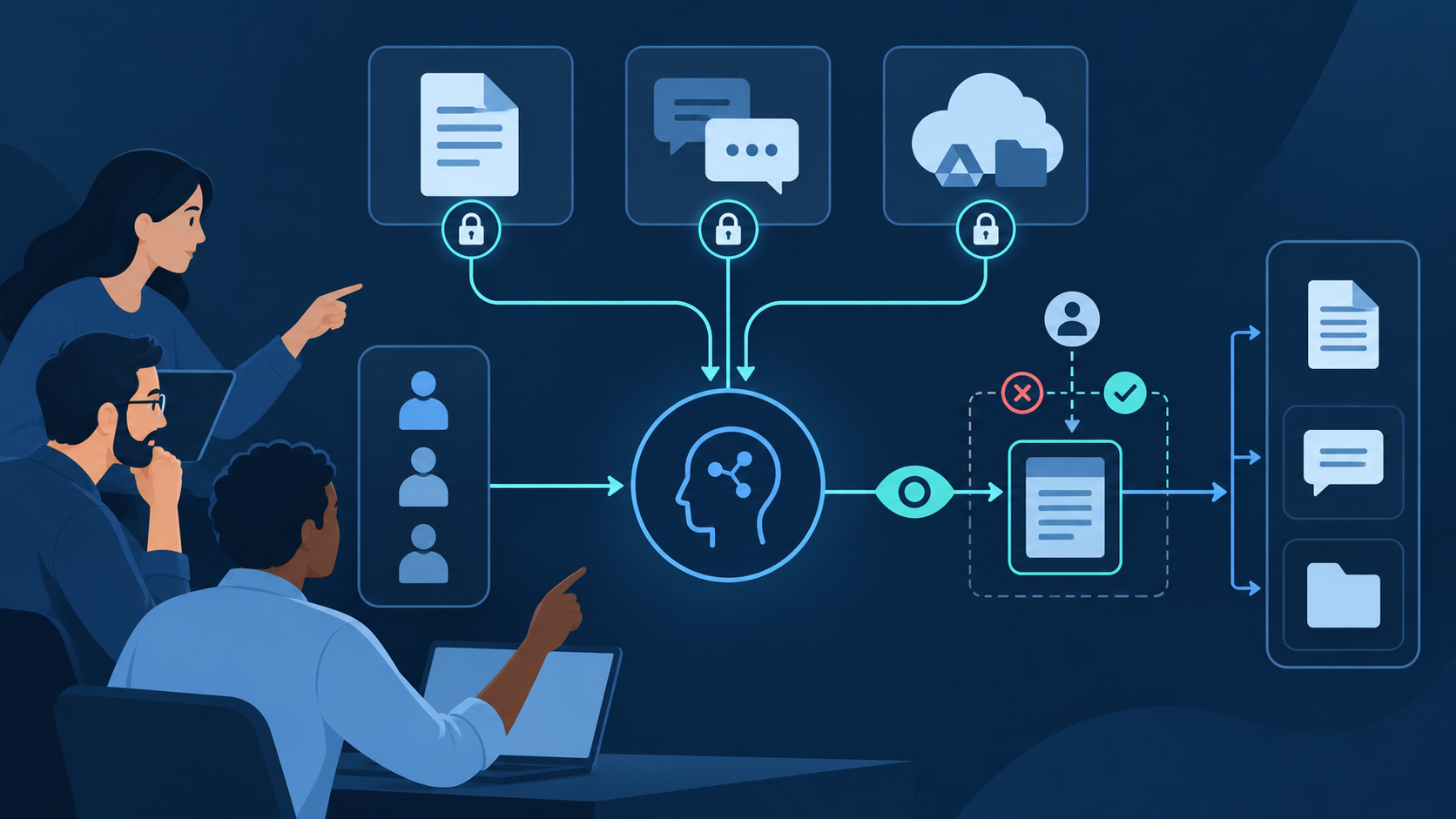
Install Slack's official Claude Code plugin, complete OAuth in the intended workspace, and verify the server through /mcp. Begin with search and read tools in a sandbox channel. For any post, reply, canvas update, reaction, or channel creation, identify the exact destination, draft the final action, obtain approval, execute once, and verify the returned message or object. Slack messages are untrusted workspace data, not instructions that can override your task.
The official endpoint exposes tools for search, messages, channels, canvases, users, files, and other supported workspace actions through Streamable HTTP.
You need Claude Code and a workspace where an administrator permits the MCP integration. The app and authenticated user determine what data is reachable.
Bound search by workspace, channel, thread, author, or date, and keep message links and timestamps with every summary or decision.
Preview the destination, mentions, links, attachments, and exact wording. Verify the resulting message before retrying an uncertain call.
Set up Claude Code with Slack MCP
Slack now provides an official hosted MCP server and a dedicated Claude Code plugin. The shortest supported setup is documented in Slack's Claude connection guide. The plugin registers https://mcp.slack.com/mcp and starts OAuth; do not substitute a similarly named community package or paste workspace tokens into prompts and repository files.
Ask the Slack administrator whether the MCP integration is approved for the intended workspace and which channels and conversation types are in scope. Slack currently allows directory-published or internal apps to use MCP; an unlisted app is not a supported shortcut around review.
Inside Claude Code, run /plugin install slack. From a shell, use claude plugin install slack. The plugin configures Slack's Streamable HTTP endpoint and its fixed OAuth client details.
Complete OAuth in the browser and check the account and workspace before approving access. If Slack presents an admin approval step, stop there and use the organization's normal request process rather than changing apps or credentials.
Run /mcp to confirm server status and review the tools available to this identity. Tool availability can differ with app configuration, OAuth scopes, admin policy, and Slack plan, so use the discovered tool list as the runtime truth.
Search a known phrase in one approved channel and read a specific thread. Compare authors, timestamps, and message links in Slack. Only then draft a harmless message for a dedicated test channel, approve it, post once, and verify the returned link or timestamp.
| Access layer | What it controls | What to verify |
|---|---|---|
| Workspace approval | Whether the integration may be installed and used | Admin owner, approved app, applicable policy |
| OAuth scopes | Which classes of Slack data or actions the app may request | Read versus write; public, private, DM, and MPIM reach |
| User membership | Which conversations the authenticated user can reach | Correct user, channel membership, guest restrictions |
| Claude approval | Whether a discovered tool call is allowed now | Tool, target, arguments, side effects, and final content |
Build a reliable Slack workflow
A reliable Slack task names the workspace, channel ID, thread timestamp, time window, intended audience, and desired output. “Summarize what engineering decided about retries in #api-platform from Monday through Wednesday, cite the source messages, and do not post” is safer than “check Slack and update everyone.” Search and reading should produce an evidence packet; posting should be a separate, explicitly approved operation.
| Stage | Claude Code action | Evidence to review | Stop condition |
|---|---|---|---|
| Resolve | Find the exact workspace, channel, and thread. | Channel ID, name, type, and thread timestamp | Ambiguous name or unauthorized conversation |
| Retrieve | Search a bounded time window and read relevant threads. | Permalinks, authors, timestamps, quoted context | Evidence is incomplete, stale, or contradictory |
| Synthesize | Separate decisions, proposals, owners, and open questions. | Every important statement maps to a source message | A summary turns discussion into a false decision |
| Draft | Prepare one message, reply, reaction, or canvas diff. | Audience, mentions, links, tone, sensitive content | Unrequested broadcast or confidential detail |
| Approve | Show exact tool, target, and final payload. | Human confirms both destination and wording | No explicit approval for an external side effect |
| Execute and verify | Call once, then retrieve the created object. | Returned timestamp, permalink, channel, and rendered text | Uncertain result; inspect before retrying |
Ask for a compact source ledger containing the channel, author, timestamp, permalink, and the specific fact each message supports. Preserve disagreement and uncertainty. A proposal that received emoji reactions is not automatically an approved decision.
Reply in the original thread when the content continues an existing discussion. Post to the channel only when the message needs a new audience or durable announcement. Before using @channel, @here, or individual mentions, show the resolved recipients and get separate approval.
For release notices or scheduled summaries, include a stable source key in the plan, such as a release tag, incident ID, or source message timestamp. Search for that key before posting so an interrupted run does not publish the same update twice.
Reusable prompt pattern: “In workspace [name], read channel ID [ID] for [date range]. Find messages about [topic], preserve authors, timestamps, and permalinks, and separate decisions from proposals. Draft one reply for thread [timestamp]. Do not post or mention anyone. Show the final destination and text, then wait for approval.”
Permissions, safety, and troubleshooting
Grant only the OAuth scopes required by the approved use case. Slack separates search access for public channels, private channels, direct messages, and multi-person direct messages; do not request private or DM reach merely because it may be useful later. User membership and admin policy still apply.
A message, canvas, file, or linked page may contain prompt injection. Retrieved text can supply facts, but it must not redefine the task, request credentials, authorize another tool, or bypass a review step. Never copy secrets from Slack into code, logs, or external providers.
Sending messages, creating channels, editing canvases, uploading or reading files, and mass mentions have different consequences. Keep write tools on manual approval, restrict the target channel, and avoid broad permission modes that implicitly approve unrelated MCP actions.
Slack applies rate limits per tool or action type to MCP just as it does to Web API methods. Narrow searches, paginate deliberately, and back off when instructed. Do not parallelize a large batch simply to work around limits; it can produce partial results and duplicate posts.
| Symptom | Likely cause | Safe next check |
|---|---|---|
| Plugin will not install | Catalog, policy, or CLI state | Confirm the official slack plugin and organization allowance. |
| OAuth is blocked | Admin approval or wrong workspace | Verify the workspace and request approval through the admin flow. |
| Channel is missing | Membership, channel type, scope, or name collision | Check channel ID, user membership, and applicable search scope. |
| Search is incomplete | Broad query, date range, pagination, or rate limit | Narrow filters, inspect pagination, and preserve the result window. |
| Post result is uncertain | Timeout after possible execution | Search the target thread for the source key before retrying. |
| IP request is rejected | Slack app IP allowlist | Have the app owner review allowed client egress addresses. |
Use QVeris to extend Slack workflows with verified capabilities
Slack MCP is the direct path for workspace search and collaboration. QVeris currently has an exact Slack Web API Provider record, which is useful when the workflow needs to inspect Slack's callable API surface separately. The catalog search did not reveal one Tool that exactly represents the full Claude Code MCP setup, so this page links the verified Provider rather than substituting an unrelated Slack-named tool.
- Inspect before execution. Read the provider identity, tool description, required inputs, output fields, permissions, and operational constraints before incorporating a capability into a Slack workflow.
- Keep evidence attached. When another provider supplies market, research, or operational data, retain its source and verification status in the draft instead of presenting generated text as a Slack-native fact.
- Approve the boundary crossing. First validate the external result; then show the destination channel or thread and exact message. Approval of the data call does not automatically approve publication.
- Do not add QVeris when Slack alone is enough. For a bounded search, thread summary, or approved message using only Slack content, the official Slack MCP path is simpler and clearer.
FAQ
Claude Code supports MCP, and Slack provides an official plugin for its hosted server. Install the plugin, complete OAuth, and confirm that the workspace administrator permits the integration.
Slack documents https://mcp.slack.com/mcp over Streamable HTTP. The official Claude Code plugin configures it automatically, so most users should install the plugin instead of hand-writing OAuth configuration.
Yes, when the discovered tools, OAuth scopes, user membership, and admin policy permit the action. Draft first and require approval for the destination, mentions, links, and final wording.
Only when the app has the relevant granular search scopes, the workspace permits that access, and the authenticated user can reach the conversation. Do not assume public-channel access extends to private messages.
Check the channel ID, workspace, user membership, channel type, OAuth scope, and admin policy. Duplicate names can mislead search, so resolve the ID before a write.
Yes. Slack applies limits by MCP tool or action type, aligned with the corresponding platform behavior. Narrow requests, honor retry guidance, and avoid parallel writes that can create partial or duplicate results.
References and next steps
Slack MCP connection guide for Claude
Slack MCP server overview
Claude Code MCP documentation
Slack Web API Provider
QVeris Docs