
Claude Code Playwright MCP
Use Playwright MCP in Claude Code to inspect pages, perform one bounded action, and verify evidence; stop at approval boundaries.
TL;DR
Playwright MCP fits changing browser tasks that need persistent context, semantic page inspection, and iterative decisions.
State the final URL, visible text, saved value, screenshot, console result, or other observable proof before the run begins.
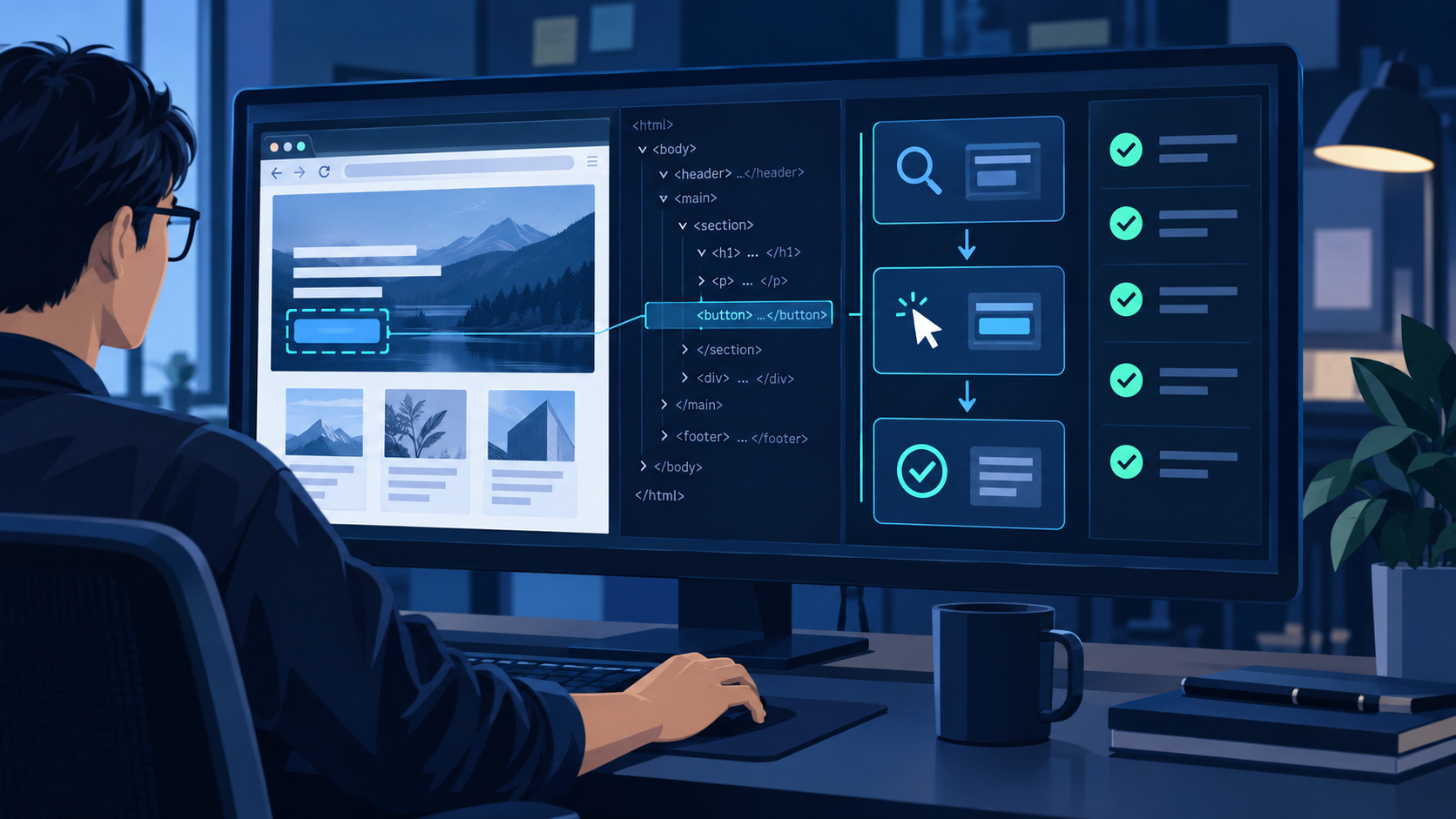
Inspect the page, perform one bounded action, reacquire state, compare with the goal, and stop at approval boundaries.
Move repeatable assertions into committed Playwright tests; keep MCP for discovery, diagnosis, and variable workflows.
The strongest Claude Code + Playwright MCP workflow is not “let the agent browse until it finishes.” It is a sequence of observable contracts: establish the session, inspect the live page, make one permitted change, reacquire the page state, and compare direct evidence with a predefined success condition. This page focuses on that operating model; the separate Playwright MCP setup guide covers installation commands, scopes, connection checks, and removal.
Set up Playwright MCP in Claude Code
Decide whether MCP is the right interface
The official Playwright MCP repository distinguishes MCP from CLI-based browser work. MCP is useful when an agent benefits from persistent state, rich page introspection, and iterative reasoning across a changing interface. CLI or skill-based execution can be more context-efficient for coding agents that need concise, high-throughput commands. A committed Playwright test remains the better target when the path and assertions are already stable enough for CI.
- Choose MCP: exploratory debugging, unfamiliar interfaces, dynamic workflows, or tasks where the next action depends on the current page state.
- Choose CLI or a skill: concise scripted operations where loading a broad MCP tool schema would add unnecessary context.
- Choose a test: fixed prerequisites, selectors, assertions, and outputs that must run the same way on every build.
- Choose manual review: legal interpretation, irreversible financial impact, sensitive personal data, or ambiguous visual judgment.
Choose the session model before adding credentials
Playwright MCP can use a persistent profile, an isolated context, supplied storage state, or a browser extension connected to an existing tab. Start with an isolated or disposable session for public-page tasks. Persistent profiles reduce repeated login work but retain cookies and local state, so use a dedicated account and profile rather than a personal daily browser. An existing-browser extension is convenient when the workflow depends on an already authenticated tab, yet it also exposes more unrelated session state and should be reserved for tightly scoped tasks.
Configure outputs around the evidence you need
Do not enable every capability by default. Decide whether the task needs an accessibility snapshot, screenshot, console messages, network information, downloaded files, generated code, or a saved session. Set a controlled output directory if artifacts must be retained, define a viewport when visual evidence matters, and choose a console level that captures actionable failures without flooding the run. Add device emulation only when the outcome is genuinely viewport-specific.
Verify a clean baseline
Before using accounts, ask Claude Code to open a public page and return the final URL, title, one heading, and one named control without changing anything. Then allow a single reversible navigation and request the new URL and heading. This proves that the server starts, the browser launches, the page snapshot is readable, tool calls return, and state can be refreshed. If any layer fails, stop there; adding authentication or more options only makes the fault harder to isolate.
Use an inspect, act, and verify workflow
Turn the request into an observable contract
A browser prompt needs more than a goal. Include the starting URL, expected user-visible outcome, allowed domains, permitted actions, forbidden actions, review checkpoints, and proof of completion. “Update the webhook” is unsafe and hard to verify. “Open the staging settings page, identify the webhook form, populate these values, report every field, and stop before saving” gives Claude Code a stable objective and an explicit stopping point.
Run a disciplined five-step loop
- Orient: confirm the live URL, account or environment, page title, and whether a login wall, consent screen, or redirect changed the context.
- Inspect: read the current accessibility snapshot and locate controls by role, visible name, label, or stable test ID.
- Act: perform one bounded navigation, input, or click; do not chain speculative actions against an old snapshot.
- Reacquire: after navigation, refresh, modal changes, frame changes, or dynamic updates, inspect the live page again.
- Verify: compare the final URL and visible evidence with the success condition; report uncertainty instead of inferring success.
Use different evidence for different browser jobs
Research needs the final source URL plus the exact page fields used in the answer. Bug reproduction needs the starting state, minimal action sequence, visible error, console output when relevant, and the state immediately before failure. Form preparation needs a field-by-field summary before submission. A saved setting needs both a success notification and a reload showing the persisted value. Visual review needs a defined viewport and the exact component state that must appear in the screenshot.
Apply the loop to common development workflows
For UI investigation, ask Claude Code to map the relevant controls and states before proposing a test. For bug reproduction, freeze the starting account and data, follow the shortest path, and stop at the first divergence. For content or settings work, split drafting from submission so a person can review the exact payload. For regression checks, let MCP discover selectors and states, then promote the stable path into a committed test rather than keeping a free-form browser prompt as the permanent artifact.
Make every run produce a useful handoff
A run should end with more than “done.” Ask for a compact record of the starting URL, environment, actions completed, actions intentionally skipped, approvals received, final URL, success evidence, unresolved uncertainty, and any artifact paths. When the outcome is a proposed change, include the exact value or payload awaiting approval. When the outcome is a defect, include the last expected state, first unexpected state, and the shortest known reproduction path. This makes the result reviewable by someone who did not watch the browser session.
Define stopping conditions before the run as carefully as success conditions. Stop when the domain changes unexpectedly, the active account or environment is unclear, a prerequisite is missing, the page requests new permissions, the proposed payload differs from the approved value, evidence conflicts, or an action would cross from preparation into consequence. A clean stop with a precise reason is a successful control outcome—not a failed automation attempt.
Recover without repeating destructive actions
If a control disappears, reacquire the page snapshot; the DOM may have changed or the control may have moved into a modal or frame. If an action times out, check whether navigation is still running, a popup opened, authentication expired, or a download started. Before retrying a submission, look for a confirmation message, changed URL, persisted value, or duplicate record. Preserve the last known state and the action that preceded the failure so the next attempt begins from evidence rather than guesswork.
Safety and debugging practices
Separate observation, preparation, and consequence
Read-only inspection can usually proceed inside an approved domain. Reversible preparation—opening filters, drafting text, or filling an unsent form—should stop at a review checkpoint. Consequential actions require explicit approval immediately before execution: sending a message, publishing, placing an order, accepting legal terms, changing access, uploading private files, or deleting records. Ask for approval with the exact target and payload so the person can evaluate what will change.
Treat browser state as a credential
- Use a dedicated test account or profile instead of a personal daily-use browser.
- Keep passwords, API keys, recovery codes, and raw cookies out of prompts, screenshots, and retained logs.
- Prefer short-lived isolated sessions for unfamiliar sites or one-off work.
- Review upload paths and download destinations by exact filename before transfer.
- Close sessions and remove retained artifacts when the evidence is no longer needed.
Do not mistake origin filters for a security boundary
Playwright MCP documents allowed- and blocked-origin options, but its official configuration notes that an allowlist is not a security boundary and does not govern redirects. Use those settings to reduce accidental reach, not to replace account isolation, least privilege, workspace trust, and human approvals. Avoid unrestricted file access unless the task genuinely requires it, and do not disable browser sandboxing merely to bypass an unexplained startup error.
Where QVeris fits beside Playwright MCP
The current QVeris catalog does not contain an exact Tool or Provider for configuring Playwright MCP in Claude Code. Following the relevance rule, this page links to QVeris Docs and the QVeris Playground instead of presenting a loosely related browser provider as an exact match.
Use APIs for structured work and the browser for rendered state
- Use Playwright MCP when the task depends on rendered UI, authenticated page state, UI-only controls, or exploratory interaction.
- Use QVeris when a verified API or tool can provide typed inputs, predictable outputs, and clearer failure handling without rendering a page.
- Combine them when structured data is prepared or validated through an API, then entered or visually confirmed through the browser.
- Keep human approval between prepared data and any browser action that creates an external consequence.
QVeris does not configure the local MCP server, manage the browser profile, or approve Claude Code tool calls. Its role begins when the broader workflow needs structured capabilities alongside UI automation. If an API already owns the operation, calling it directly is usually simpler than navigating a web page; if the rendered experience is the thing being tested, Playwright remains the correct layer.
FAQ
Use MCP for persistent, exploratory interaction; CLI or skills for concise high-throughput operations; and committed tests for stable, repeatable assertions.
Yes, through a persistent profile, storage state, or an extension, but use a dedicated account and protect retained browser state like a credential.
Navigation or dynamic updates may have replaced the page structure. Take a fresh snapshot and locate the control again instead of retrying the old reference.
Use direct evidence: final URL, visible saved value, confirmation message plus reload, screenshot at a defined viewport, or relevant console and network output.
Stop at uncertainty, a domain change, an unexpected login or consent screen, a failed prerequisite, or immediately before any consequential action.
Prefer an API for typed, high-volume, unattended, or deterministic work. Keep the browser for UI-only operations and rendered-state evidence.