
Define the evidence contract
Specify the minimum fields required for the decision: source URL, timestamp, record ID, status, and confidence limitations.
Compare APIs for DeepSeek across search, data retrieval, and tool calling, with access and failure checks.
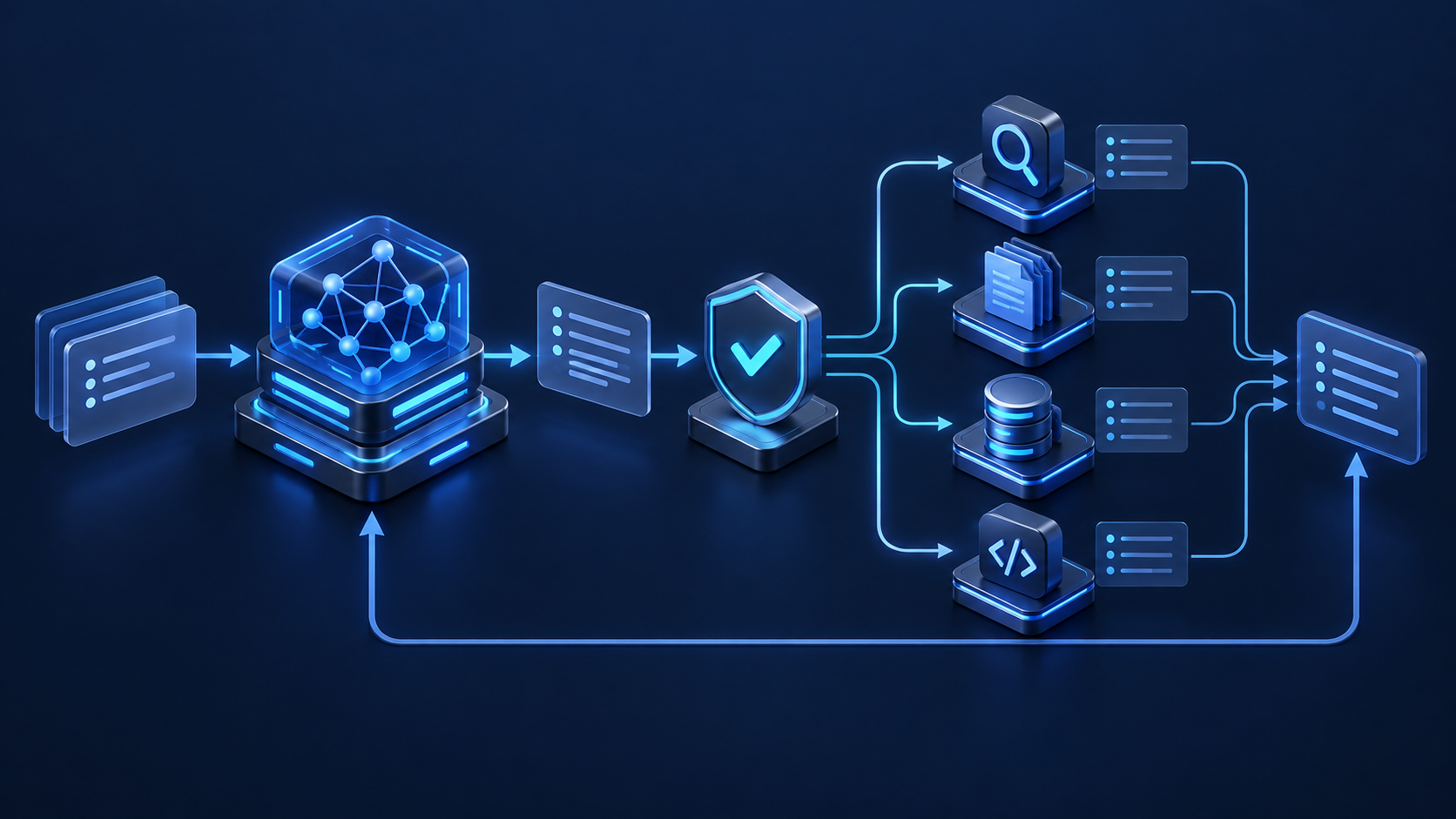
For live web research, use an AI-oriented search API such as Tavily or Exa. For application records, start with your existing database API—often Supabase. For grounded answers over private documents, use a retrieval layer backed by a vector database such as Pinecone or Qdrant. Add GitHub for code workflows, and Slack only when a reviewed result must reach a team. DeepSeek’s tool calling can choose a declared function and produce arguments; your application must still validate and execute it.
This is a fit guide, not a benchmark. Provider limits, prices, data policies, and features change; verify them in the linked official documentation before production use.
| API / category | Best DeepSeek job | Why it earns a place | Safe first scope | Official reference |
|---|---|---|---|---|
| Tavily / Exa WEB EVIDENCE | Current research, source discovery, page extraction | Returns retrieval-oriented results that can be normalized before they enter the prompt. | Search only; approved domains; capped results | TavilyTavily provider details · ExaExa provider details |
| Supabase BUSINESS DATA | Querying application records with row-aware access | A familiar Postgres-backed interface for structured, filterable facts. | Read-only view plus Row Level Security | Data API docs |
| Pinecone / Qdrant PRIVATE RETRIEVAL | RAG over policies, manuals, cases, and product knowledge | Retrieves small, relevant passages instead of sending an entire corpus. | One collection; metadata filters; source IDs | Pinecone · Qdrant |
| GitHub REST API CODE CONTEXT | Issue triage, repository evidence, PR preparation | Exposes traceable artifacts—commits, checks, diffs, and issues. | Read one repository; draft output locally | REST API docs |
| Slack Web API TEAM HANDOFF | Delivering approved summaries and escalation notices | Closes the workflow loop where the team already works. | Draft first; fixed channel; human approval | Web API docsSlack provider details |
| QVeris CAPABILITY ROUTING | Finding and testing changing API capabilities without hard-wiring discovery into the prompt | Useful when the requirement starts as a capability and the provider may change. | Inspect tools, test non-sensitive inputs, then integrate | QVeris tools |
DeepSeek documents tool calls and structured JSON output. These are interfaces for orchestration—not permission systems. Keep credentials, policy, execution, and audit outside the model conversation.
Specify the minimum fields required for the decision: source URL, timestamp, record ID, status, and confidence limitations.
Prefer search_approved_sources over a generic HTTP client, and get_order_status over arbitrary SQL.
Apply JSON Schema, allowlists, length limits, tenant checks, and authorization after the model returns a tool call.
Strip active markup, cap payloads, preserve provenance, and make external instructions inert before returning data to DeepSeek.
Require preview and approval for messages, writes, payments, deletion, account changes, and any action that is difficult to reverse.
This hypothetical function is intentionally smaller than the underlying search provider. It limits scope before DeepSeek sees the tool.
DeepSeek strict mode currently does not support maxLength or maxItems. Enforce query length, domain count, call budgets, secret redaction, and compact result limits in application code; keep the tool schema to supported constraints such as required fields, enums, and additionalProperties: false.
Search approved sources, extract only relevant passages, ask DeepSeek to synthesize with citations, then reject claims that lack a source ID. Use this for policy updates, technical documentation, and market monitoring—not for open-ended browsing with write access.
Retrieve policy passages first, fetch the customer’s permitted case fields second, and let DeepSeek draft a response that separates policy from account facts. Never embed sensitive records into a shared vector index; enforce tenant boundaries at retrieval.
Read failing checks, verify upstream changes against official docs, and draft a risk summary. A reviewer approves the final Slack post. Keep code changes and public comments out of the first pilot so a weak inference remains reversible.
Decide which facts need live retrieval and which stable facts can use cached context.
Search allowed domains, cap results, and store URLs plus timestamps.
Ask for claims mapped to evidence IDs and an explicit “insufficient evidence” state.
Reject missing citations, stale records, schema failures, and unauthorized actions.
Can one endpoint materially improve a named outcome, or is the integration merely impressive in a demo?
Use workflow-specific identities, read-only scopes first, short-lived credentials where possible, and no secrets in prompts.
Reject unknown fields, oversized strings, ambiguous identifiers, and model-selected destinations.
Treat pages, issues, messages, and retrieved documents as untrusted data that cannot alter tool policy.
Cap calls, records, retries, and wall-clock time. Cache stable prefixes and provider results only where policy permits.
A timeout is an unknown state. Reconcile by request ID before retrying any consequential operation.
Preview messages and diffs; require approval for writes, payment, deletion, deployment, and external communication.
Record tool, normalized arguments, policy decision, result ID, source, timestamp, and reviewer action—without secrets.
Choose this for one stable provider with strict latency, schema, or compliance requirements. Your application owns authentication, retries, normalization, monitoring, and version changes.
Choose MCP when the same narrowly defined tools should be reusable across compatible AI clients. It standardizes discovery and invocation, but does not replace provider authorization or business policy.
Choose capability routing when you know the job but may not know—or want to hard-code—the provider. Inspect matching tools in the QVeris tool directory, then test non-sensitive inputs in the Playground.
DeepSeek can return a tool call with structured arguments for a function you declared. Your application normally validates those arguments, executes the external API request, and returns the result to the model. A tool call is a proposal, not authorization.
Choose one read-only API that supplies evidence the model cannot reliably know, such as current official documentation or a narrowly scoped internal record. It should improve a measurable task without creating an external side effect.
Do not assume chat-product features and developer API features are identical. For a production workflow, declare and control a search tool explicitly, and verify current DeepSeek capabilities in the official API documentation.
No. Wrap broad provider APIs in a small set of task-specific functions. A smaller tool surface improves selection clarity, limits accidental access, and makes evaluation practical.
No. Direct REST or SDK integration is often simplest for one application-owned provider. MCP becomes useful when the same model-facing tools must be reusable across compatible clients. In either case, authorization and business rules remain your responsibility.
Describe the missing capability, inspect matching tools, test with non-sensitive data, and measure whether the final decision improves. Add a second API only when the first workflow exposes a specific new gap.
Current web evidence for research-oriented agents.